Which video downloader should you use? The five kinds, compared
Short answer
For one video on a phone, a browser link tool is the right answer: paste, pick a file, done. For downloading in bulk or at the highest possible quality, a command-line tool like yt-dlp wins and nothing else comes close. If you want to see the code that handles your links, use an open-source web app such as cobalt, which you can also run yourself. Avoid browser extensions and downloader apps for a one-off save: they ask for far more access than the job needs.
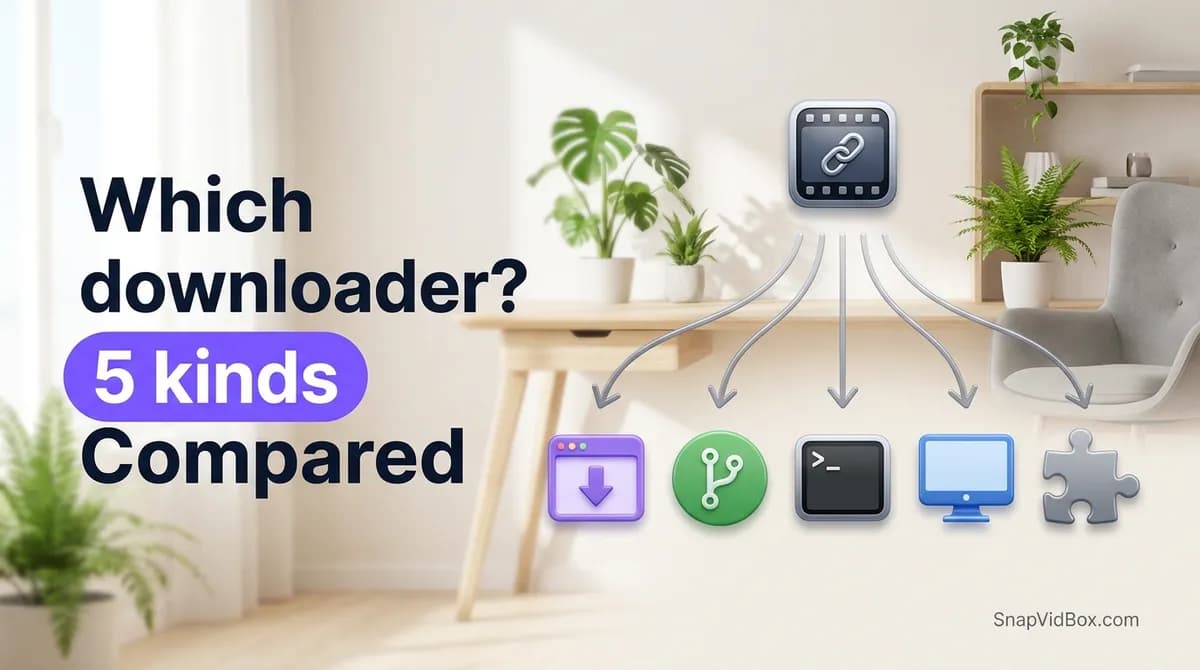
Every "best video downloader" list has the same problem: it ranks tools that are not competing with each other. A command-line program and a paste-a-link web page both end with a file on your disk, but one of them is for saving a thousand videos on a schedule and the other is for saving one video before the bus comes. Put them in a numbered list and the ranking is meaningless.
So this is a comparison of the five kinds, not a league table. Find the row that matches what you are actually doing, and the choice inside that row is usually easy.
A declaration first, because it changes how you should read the rest: this page is on the site of one of these tools. SnapVidBox is a browser link tool, the first kind below. That is the kind this page recommends least often, and the sections on the command line and on open-source apps are written to send you away when those fit better. A comparison that never loses is an advertisement.
The five kinds at a glance
Checked October 2026. The last column is the one most lists leave out, and it is the one that decides whether a tool is still working next month.
| Kind | Install? | Best at | Weakest at | Who sees your link |
|---|---|---|---|---|
| Browser link tool | No | One video, on any device, in under a minute | Bulk work; the highest resolutions when a platform splits picture and sound | The site's server |
| Open-source web app | No, or self-host | The same job, with the code open to read and a version you can run yourself | Needing someone to keep a public instance running | Whichever instance you use, or only you if you self-host |
| Command-line tool | Yes | Bulk downloads, every format a platform offers, automation | Being usable by someone who does not want a terminal | Nobody: your machine talks to the platform |
| Desktop application | Yes | Queues, batch jobs, a window instead of a prompt | Portability; many are paid, and an installer is a real trust decision | The app's vendor, depending on the app |
| Extension or phone app | Yes | Being one click away once installed | Almost everything else; the permissions are broad and permanent | The extension, on every page you visit |
1. Browser link tools
You paste a share link into a page and it lists the files the platform serves for that post. Nothing is installed, no account exists, and it works the same on a phone as on a desktop. SnapVidBox is one of these; so are the SnapTik and SSSTik family of sites that show up in every roundup.
What you give up is the top of the quality range. Platforms increasingly store the sharper renditions as separate picture and sound streams, and a browser cannot join two streams into one file. Any link tool that offers you 1080p is doing that work on its server, which is slower and depends on that server not being busy.
What you gain is that there is nothing to uninstall and nothing to trust beyond a single request. If you use a downloader twice a year, this is the correct answer and the other four kinds are over-engineering.
- Good for: one video, a phone, someone else's computer, or a format you need once.
- Bad for: fifty videos, scheduled jobs, or the absolute best file a platform holds.
- Watch for: a site that wants a platform password, an install, or notification permission. None of those are needed to download a public video. The safety checklist goes through the rest.
2. Open-source web apps
The same paste-a-link experience, with the difference that the code is published and you can run your own copy. cobalt (github.com/imputnet/cobalt) is the one that comes up most; this site can be configured to use a cobalt instance as its own resolver, which is a reasonable summary of how useful it is.
Self-hosting changes the trust question completely. On a public instance you are trusting whoever runs it, exactly as with a link tool. On your own instance nobody sees your links at all, and the cost is a server and the willingness to maintain it.
Published code is not the same as audited code, and it does not tell you what a particular public instance does with its logs. It does mean a claim about the software can be checked by someone, which is more than most of this category offers.
- Good for: wanting to read the code, or wanting a private instance nobody else touches.
- Bad for: someone who wants to download one video and never think about it again.
3. Command-line tools
yt-dlp is the serious answer and it is not close. It downloads from a very long list of sites, it can fetch every rendition a platform exposes and merge picture with sound locally, and it can be scripted, scheduled and pointed at a list of a thousand URLs. Your machine talks to the platform directly, so no third party sees what you are saving.
The cost is a terminal. There is an install, there are format selectors to learn, and a failure usually looks like a stack trace rather than a sentence. That is a genuine barrier and it is not snobbery to say so.
If you download video regularly, learning this tool will save you more time than any other item on this page. It is also what sits behind a good deal of software that charges money for a friendlier window around it — this site uses it for Facebook links.
- Good for: bulk, archives, maximum quality, automation, privacy.
- Bad for: phones, borrowed computers, and anyone who does not want a new skill today.
4. Desktop applications
Installed software with a window: a queue, a folder picker, batch jobs, sometimes a built-in browser. Many are paid, most are closed source, and a good number are a graphical layer over the command-line tool above.
The thing to weigh is the installer. Running a signed binary from a company with a real address is an ordinary decision; running an .exe from a download page with no company behind it is not, and the file you were trying to save is not worth it.
This kind earns its place when you are working through a backlog on one computer and you want to see progress bars rather than log lines.
- Good for: repeated batch work on a computer you own.
- Bad for: one-off saves, phones, and any situation where you cannot install software.
5. Extensions and downloader apps
A browser extension that adds a download button, or a phone app from a store or an APK. Convenient once installed, and the worst trade on this page for a one-off save.
An extension that can add a button to TikTok can usually read every page you visit, and it keeps that access after you have forgotten it is there. Extensions also change hands: a useful one gets sold, the new owner ships an update, and the permissions you granted in 2024 are now being used for something else. The permission did not change; the intent did.
On phones, an .apk from outside a store is a straightforward bad idea for saving a video. A browser page does the same job with no permanent access to anything.
- Good for: a power user who has audited the specific extension and wants one-click access.
- Bad for: essentially everyone else, and never worth it for a single file.
So which one
The decision is usually settled by how often you do this, not by which tool is best in the abstract.
| Your situation | Use |
|---|---|
| One video, on your phone, right now | A browser link tool |
| A few videos a month, any device | A browser link tool |
| You want to read the code, or keep links private | An open-source web app, self-hosted if you can |
| Dozens of videos, or the best file that exists | yt-dlp |
| A regular backlog on one computer, and you want a window | A desktop application |
| You are about to install an extension to save one video | Don't; use a browser link tool |
Where this site fits, and where it does not
SnapVidBox is a browser link tool. It handles TikTok, Douyin, Facebook and Instagram, lists the sound as M4A or MP3 and the cover image alongside the video, and saves every slide of a photo post as its own JPG. Douyin is the part worth naming: a good many tools in this category quietly fail on a v.douyin.com link, and that gap is the reason this site exists.
It is the wrong choice in several situations, and they are easy to state. For bulk work, use yt-dlp. For reading the code, use an open-source app. For anything private — a friends-only story, a closed group, an account you do not follow — no tool on this page can help, including this one, and a site that claims otherwise is either wrong or after your password.
The highest renditions are also slower here than a command-line tool, because joining separate picture and sound streams happens on a server that other people are also using. That is a real cost of the no-install approach rather than a bug.
One thing that applies whichever you pick
None of these tools grants permission. Downloading a public video for your own offline viewing is a different act from reposting it, cutting it into your own video, or running it as an ad, and the platform terms and copyright law both care about the difference. The guide to copyright and personal use covers where the line sits.
The tool you choose changes how quickly you get a file. It does not change what you are allowed to do with it.
Frequently asked questions
What is the best free video downloader?
There is no single best one, because the kinds are not competing for the same job. For one video on a phone, a browser link tool is the best answer. For bulk downloading or the highest quality a platform holds, yt-dlp is clearly better and free as well. Asking which is best without saying how many videos and on what device produces a ranking that cannot be acted on.
Are online video downloaders safe?
A browser link tool is safe to the extent that it only ever asks for a link. The server that handles your request sees the URL, so you are trusting the operator with that much, and no more if the site never asks for an account or an install. Any downloader asking for your TikTok, Instagram or Facebook password is after the account rather than helping you, whatever else the page says.
Why can't a browser tool give me the same quality as yt-dlp?
Platforms increasingly serve the sharper renditions as separate picture and sound streams. yt-dlp downloads both and joins them on your machine. A browser cannot do that, so a link tool either offers you only the complete lower-quality file or does the joining on its own server, which takes longer and depends on that server's load.
Can any downloader save a private or friends-only video?
No, and that claim is the clearest warning sign on a downloader site. Posts limited to friends, closed groups or approved followers are not served to anyone outside that audience, so there is nothing for a tool to fetch. A site advertising that it can save them is either mistaken or planning to ask for your login.
Is it worth installing a browser extension to download videos?
For one-off saves, no. An extension that can add a button to a video page can usually read every page you visit, and that access stays after you forget it is installed. Extensions also change ownership and ship updates under the permissions you already granted. A browser page does the same job and leaves nothing behind.
Related guides
Why a video link won't download, and how to tell which problem you have
A link that refuses to download usually fails for one of five reasons. How to tell them apart from the message you get, and what actually fixes each one.
7 min read
How to choose a safe video downloader, and what to check before pasting a link
Seven things worth checking before you trust a downloader with a link, the three warning signs that should end the visit, and an honest account of where this one does not win.
8 min read
Downloading videos and copyright: what you can and cannot do
What personal offline viewing covers, where reposting crosses the line, how music rights work, and how to ask a creator for permission.
8 min read
How to download a Douyin video on Android without the watermark
Four steps from a v.douyin.com link to a clean MP4 in your Android phone's gallery, in Chrome, with no app to install, no Douyin account and no Chinese phone number.
8 min read
Sources
- Video downloads — TikTok
- Terms of Service — TikTok
- Terms of Service — Meta
- Terms of Use — Instagram
Ready to try it?
Paste any supported link and the platform is detected automatically.
Open the downloader