How to download a Facebook video on PC or Mac in HD and 1080p
Short answer
Open the video on facebook.com, copy the address, paste it into SnapVidBox and click Download now on the "MP4 · HD" row, usually 720p in H.264. For 1080p, use Render & download; that file is VP9, which plays in browsers, VLC and Media Player on Windows but not in QuickTime on a Mac. The MP3 rows save the sound alone.
To download a Facebook video on a PC or a Mac, copy the video's address from the browser, paste it into SnapVidBox, and click Download now next to the HD MP4, or Render & download for 1080p. The file lands in your Downloads folder, named after the post. It works the same in Chrome, Edge, Firefox and Safari, on Windows and macOS, with nothing to install.
A computer is the best place to do this when you want the sharpest copy. Facebook keeps most videos in several sizes, and the taller ones, 1080p and on some videos 4K, are stored as a picture stream and a sound stream that only become a normal video file once they are joined. SnapVidBox does that joining on its server, so you still get one MP4 that opens like any other.
This guide walks through the five steps, explains which of the files in the list to pick, and covers the two things that trip people up on a computer: finding the right link, and a 1080p file that one particular player will not open.
What you need
- A Windows PC or a Mac with an up-to-date browser: Chrome, Edge, Firefox or Safari.
- A video you can see without being friends with the poster: a public post, a Reel, a Page's video or a Watch video.
- A video player. The Films & TV app or Media Player on Windows, QuickTime on a Mac, or the free VLC on either.
- Free disk space: a 10-minute 1080p video is usually 100 to 300 MB.
Step 1: Copy the video's link
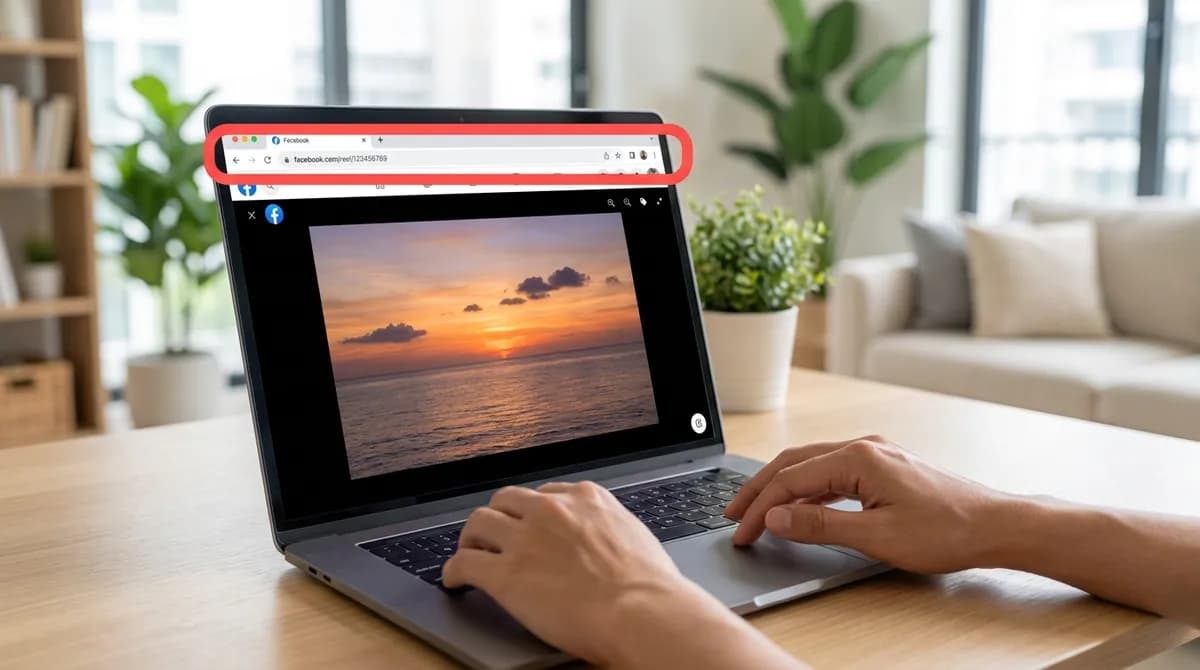
Open the video on facebook.com. The cleanest link is the video's own page: click the video's timestamp or open it full-screen, and the address bar shows facebook.com/…/videos/… or facebook.com/reel/…. Click the address bar and press Ctrl+C on Windows or Cmd+C on a Mac.
You can also click Share under the post and choose Copy link. That gives a facebook.com/share/… link, which works just as well; SnapVidBox follows it to the post.
The one link that does not work is the address of the news feed itself. If the address bar only says facebook.com, you are still on the feed: open the video first, then copy.
Step 2: Paste the link into SnapVidBox
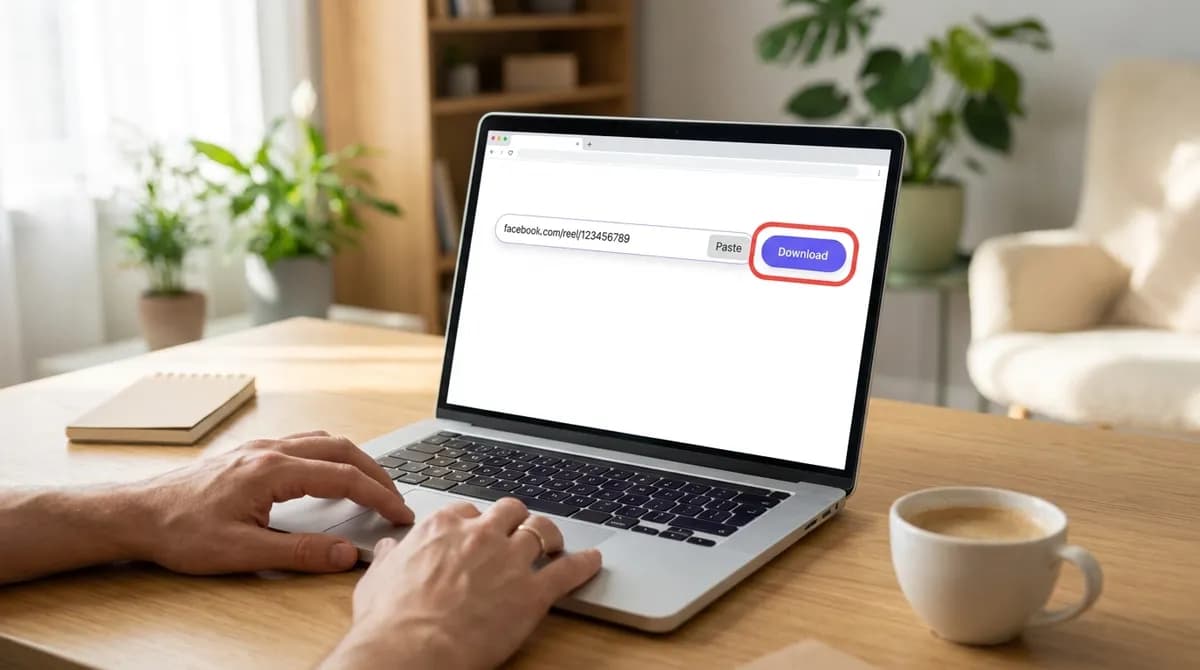
Open the Facebook video downloader in a new tab. Click into the input box and press Ctrl+V (Cmd+V on a Mac), or click the Paste button next to it; the browser may ask once whether the site can read the clipboard.
Click the violet Download button. After a few seconds a table appears under the box with the video's cover, its title, and one row per file Facebook keeps for that video.
Step 3: Pick a quality
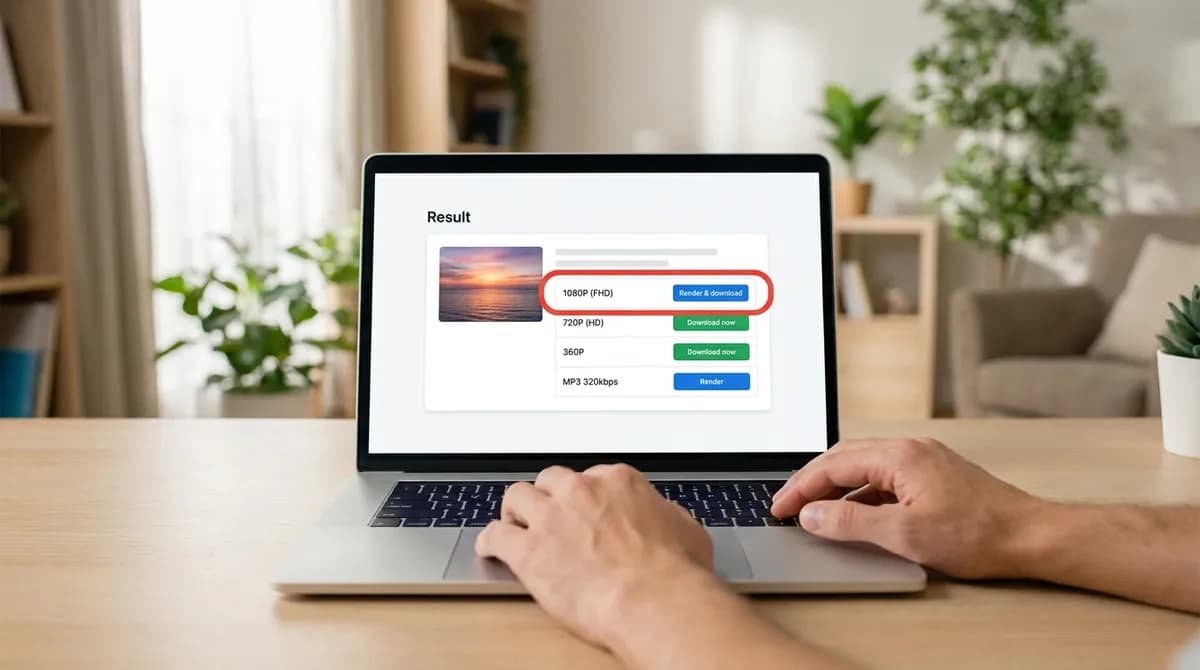
Each row shows the quality, the file type and its size. Rows with a green Download now button are complete files that start downloading at once: "MP4 · HD", usually 720P (HD), and "MP4 · Standard", usually 360p.
Rows with a blue Render & download button, such as 1080P (FHD), are the taller versions Facebook keeps as separate picture and sound. Click one and our server joins the two into one MP4; the download starts within a few seconds and the size shown is an estimate until it does. Only one or two of these can be made at a time, so on a busy moment you may be asked to try again in a minute.
For most uses on a computer, take the tallest row. If the video is for an editor or an old player, see the section on formats below before you choose.
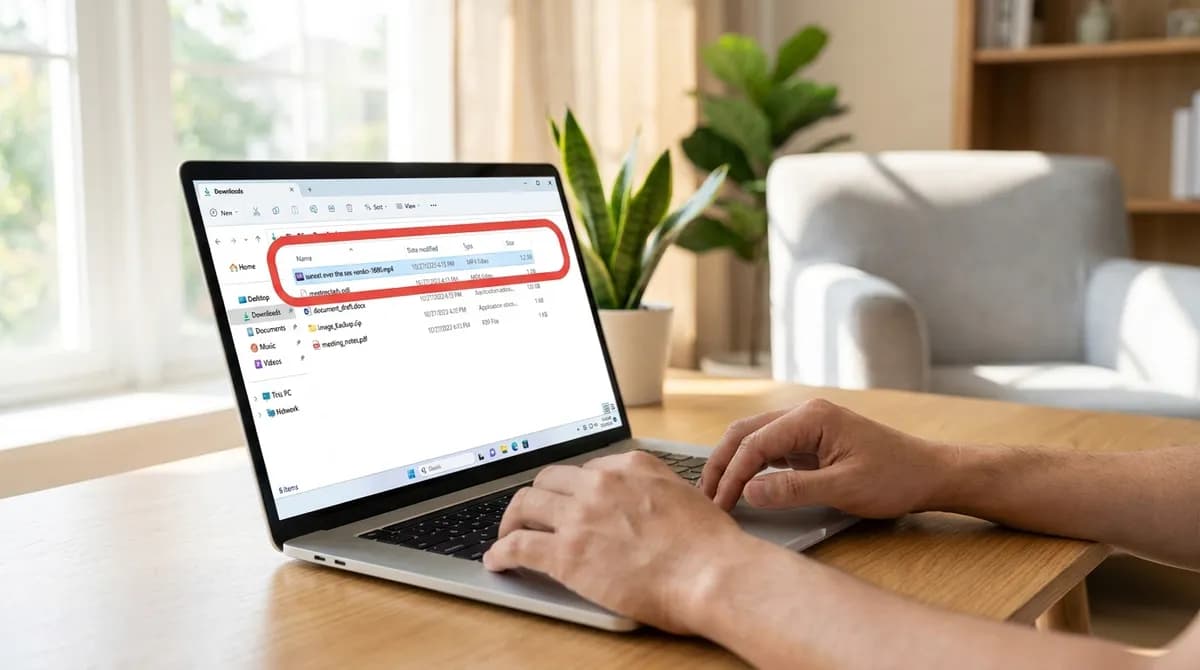
Step 4: Find the file in Downloads
Chrome and Edge show the download in a small panel at the top right of the window; Firefox shows an arrow in the toolbar; Safari shows a downloads button next to the address bar. Click the file there to open it, or the folder icon to see it in the folder.
By default everything goes to the Downloads folder: This PC, Downloads on Windows, or Downloads in the Finder sidebar on a Mac. The file is named after the Facebook post, with the quality at the end, so several downloads of the same video do not overwrite each other. Firefox may ask where to save it the first time; choose Save File.
Step 5: Play it, or move it where you need it
Double-click the file. On Windows it opens in Media Player or Films & TV; on a Mac, the HD file opens in QuickTime. From here it is an ordinary video: copy it to a USB drive, drop it into a project, or move it to a folder of its own.
If a 1080p file does not open in QuickTime, that is the format rather than a broken download; the next section explains why and what to do.
About the formats: H.264 and VP9
The HD and standard files are H.264, the format every player, phone, TV and editor understands. The 1080p and higher files are VP9, because that is how Facebook stores those sizes, and joining the picture with the sound does not re-encode it, so nothing is lost.
VP9 plays in every browser, in VLC, and in Media Player on Windows 10 and 11. QuickTime on a Mac does not play it, and some older editors refuse it. In that case, open the file in VLC or IINA, drag it into a browser tab to watch it, or download the HD row instead, which is H.264 and opens everywhere.
Saving only the sound
The same table lists the audio on its own: "M4A · Audio only" is the sound exactly as Facebook stores it and downloads at once, and the MP3 rows at 320, 256 and 128 kbps are converted on our server in a few seconds. Facebook rarely stores sound above 128 kbps, so 128 is enough for most uses; the larger files sound the same. The Facebook to MP3 page lists these rows first.
Stories, Reels and videos behind a login
Reels work exactly like ordinary videos: copy facebook.com/reel/… from the address bar. Stories have their own page, the Facebook Story downloader, because their links lead somewhere different; the Story guide shows where to find them.
Videos that Facebook only shows after a login, such as posts in public groups, go through the Facebook private video downloader. Videos shared with Friends or Only me, and posts in private groups, cannot be fetched from a link by any tool.
If it does not work
- A message instead of a table: the video is not public, was deleted, or the link points at the feed. Open the video on its own and copy the address again.
- "The server is busy preparing other files": a 1080p render is already running. Wait a minute and click Render & download again, or take the HD row, which never waits.
- The download stops part-way: links to Facebook's files expire after a while. Paste the link again and download straight away.
- The 1080p file will not play: open it in VLC or a browser, or use the HD file. See the section on formats.
- The file is named oddly: posts without text get a name made from the video's number, such as facebook-1511239810781599.
Keep it personal
A downloaded video is a copy for you. Uploading someone else's video, cutting it into your own content or using it commercially needs the owner's permission, and background music is licensed separately. The copyright guide goes through what counts as personal use.
Which player opens which file
The HD file and the 1080p file compared in the players and editors people actually use:
| Player | HD, usually 720p (H.264) | 1080p (VP9) |
|---|---|---|
| Chrome, Edge, Firefox | Plays | Plays |
| VLC (Windows and Mac) | Plays | Plays |
| IINA (Mac) | Plays | Plays |
| Media Player (Windows 10 and 11) | Plays | Plays |
| QuickTime (Mac) | Plays | Does not play |
| Older video editors | Imports | May refuse it or show audio only |
In short
Open the video on facebook.com, copy the address, paste it into SnapVidBox and pick a row: Download now for HD, Render & download for 1080p, or an MP3 for the sound alone. The file is in Downloads a few seconds later, ready to play or edit.
Frequently asked questions
Do I need to install software to download Facebook videos on a PC?
No. It all happens in the browser: paste the link, pick a file, and it saves to Downloads. There is no extension or program to install and no account to create.
Can I download Facebook videos in 1080p or 4K?
Yes, when Facebook has them. Those sizes are listed with a Render & download button; our server joins the picture and the sound into one MP4 in a few seconds. If a video was uploaded in 720p, 720p is the best there is.
Why does my Mac not play the 1080p file?
The 1080p and higher files use VP9, which QuickTime does not play. VLC, IINA and every browser do. The HD file is H.264 and plays in QuickTime.
Does it work on a Mac and in Firefox?
Yes. Chrome, Edge, Firefox and Safari all work on Windows and macOS. Only the place where the browser shows the finished download differs.
Can I download several Facebook videos at once?
One link at a time, but there is no limit: paste the next link as soon as a download has started. Render & download files are made one or two at a time, so a second 1080p may wait a minute.
Is downloading Facebook videos legal?
Keeping a copy of a public video to watch yourself is generally personal use. Reposting it or using it commercially needs the owner's permission. The copyright guide on this site explains the details.
Related guides
How to convert a Facebook video to MP3 and keep just the audio
Save the sound of a Facebook video or Reel as an MP3 or the original M4A, on a phone or a computer, with no app. Which bitrate to pick and which posts work.
8 min read
How to download a private Facebook video: what can and cannot be saved
Save a Facebook video that asks you to log in, from a public group or behind the login wall, with just its link. What works, what never can, and why.
8 min read
How to save a Facebook video or Reel to your iPhone camera roll
Facebook has no download button for most videos, and Safari saves files to Files, not Photos. Five steps from a Facebook link to your iPhone camera roll.
8 min read
How to download a Facebook Story video before it disappears
Stories vanish after 24 hours and Facebook has no save button for other people's. How to find a story's link and save the video in up to 1080p, on phone or PC.
8 min read
Sources
- Terms of Service — Meta
Ready to try it?
Paste any supported link and the platform is detected automatically.
Open the downloader