TikTok video downloader for any public link
Paste any public TikTok share link to get direct download links for the video, with and without the watermark. It also returns the original sound as an MP3 file and the post's cover image.
How it works
How to download a TikTok video without the watermark
About ten seconds on a phone or a computer. All you need is the video's share link: no app, no login, nothing to install.
 01
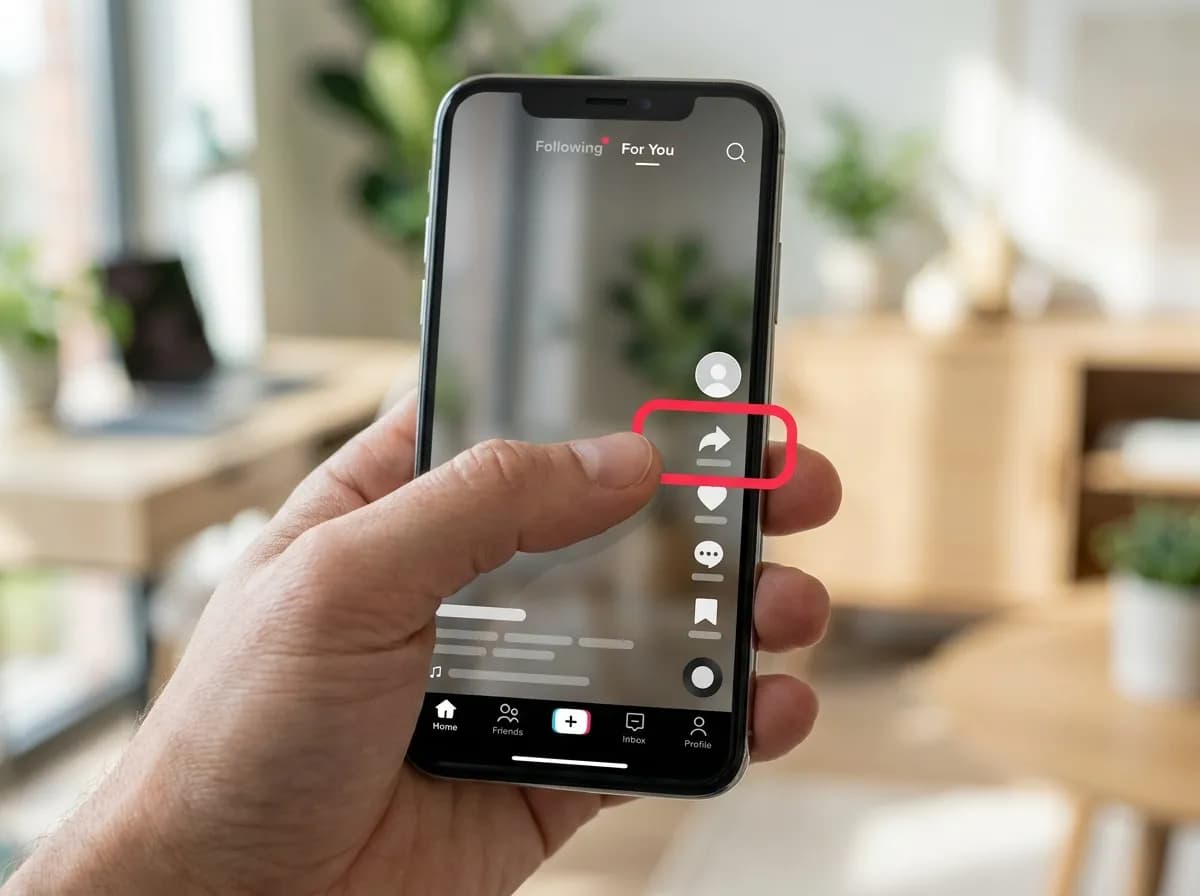
01Open the video and tap Share
In the TikTok app, open the video and tap the arrow-shaped Share button on the right-hand side. On a computer, use the Share button under the video, or copy the address from the address bar.
 02
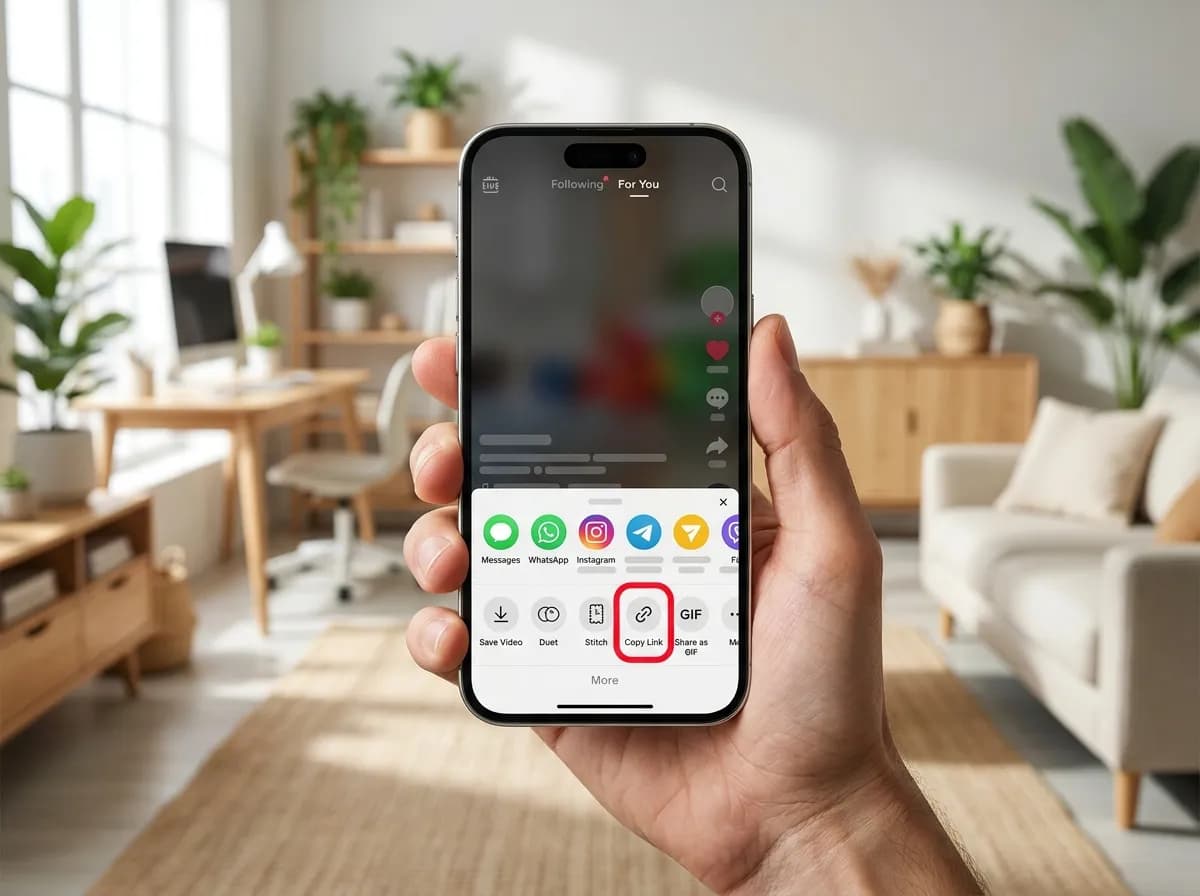
02Tap Copy link
Choose Copy link in the row that slides up. Short links (vt.tiktok.com/…) and full ones (tiktok.com/@name/video/…) both work, and tracking parameters on the end are ignored.
 03
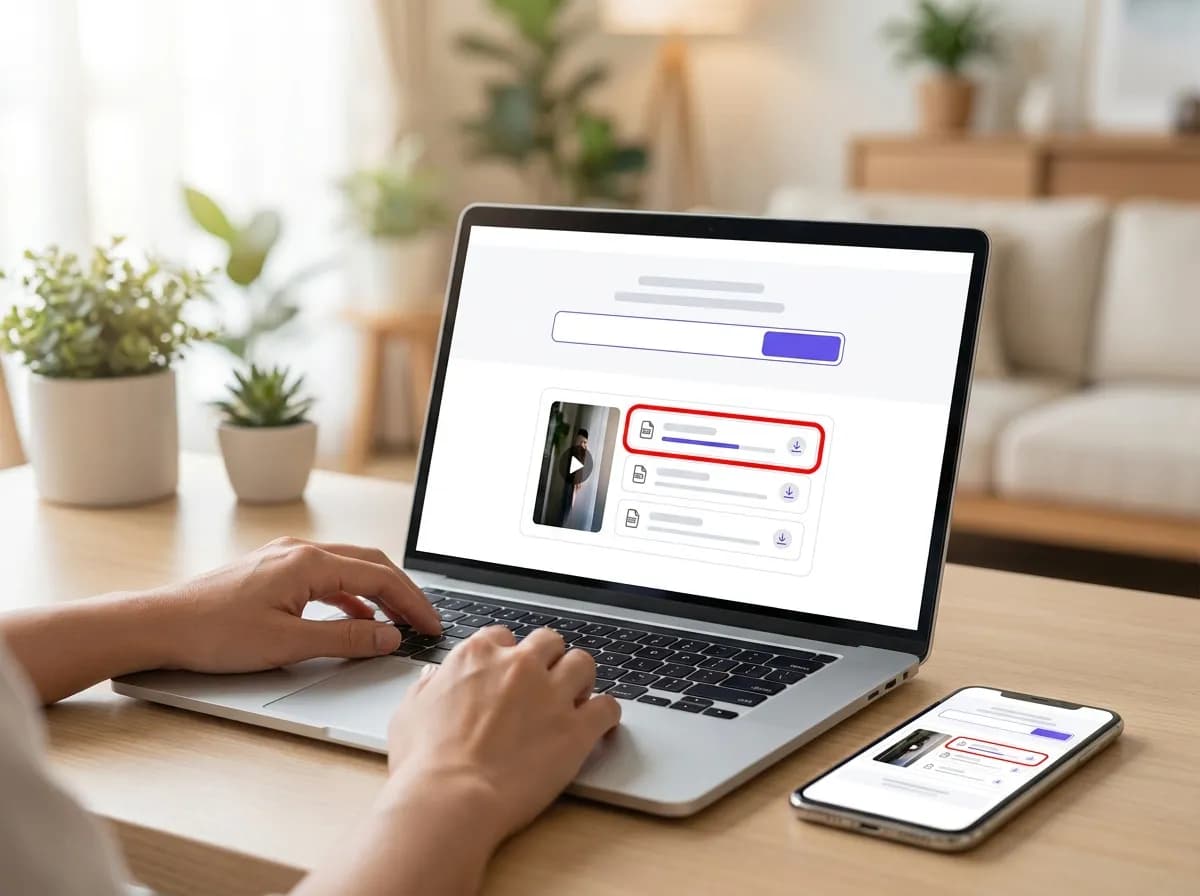
03Paste the link and pick a file
Paste the link into the box at the top of this page and tap Download. The first option is the HD MP4 without the watermark; the standard version, the MP3 sound and the cover image are listed under it.
Where the file ends up
- iPhone: Safari saves into the Files app, under Downloads. Open the video there, tap Share, then Save Video to move it into Photos.
- Android: Chrome saves into the Downloads folder, and most gallery apps show the video within a few seconds.
- Computer: the file lands in your browser's usual downloads folder, ready to play or edit.
- Only want the sound? The TikTok to MP3 page lists the MP3 first. A photo post returns every slide as a JPG instead of a video, which the TikTok photo downloader walks through.
Why this one
Everything you need, nothing you don't
No pop-ups between you and the file, no countdown before the link appears.
Resolved in a few seconds
Links are parsed server-side and handed back as direct media URLs, so the only thing that limits you is your own connection speed.
No account, no app install
Everything runs in the browser tab you already have open. We never ask you to sign in or hand over credentials for the source platform.
Clean files, no watermark
Where the platform exposes an unbranded rendition, that is the one we hand you first, ready to re-edit without a logo in the corner.
Every quality on offer
HD, SD and audio-only renditions are listed side by side with their file size so you can pick what fits your storage.
Built for phones first
The layout is designed for one-handed use on a phone, and works the same on tablets, laptops and desktops.
Nothing kept afterwards
Submitted links are used to answer the request and then dropped. No download history, no profile, no tracking cookies.
TikTok downloader questions
How do I download TikTok video without watermark?
Paste the video's share link into the box on this page. Our server requests the file from TikTok and provides a direct link to the original, unbranded version, which you can save to your device. We also return the standard watermarked copy for comparison.
How to download TikTok video without watermark on iPhone?
The process is the same on any device. After you paste the link, tap and hold the download button for the watermark-free version and choose 'Download Linked File'. Safari saves it to your Files app, from where you can use the share menu to move it into your Photos library.
Is this a TikTok watermark remover online?
This tool does not edit or remove watermarks from a finished video file. It accesses the original, unbranded master file that TikTok stores alongside the watermarked version. Because the source file has no watermark to begin with, the output is clean.
Can I use this tool to download TikTok MP3 audio?
Yes. Every time a video link is resolved, we also provide a link to the original sound as a separate MP3 file. This lets you save just the audio track from any public TikTok post, which is useful for viral sounds or music clips. The TikTok to MP3 page lists the sound first.
Does this download TikTok video HD 1080p versions?
The tool returns the highest quality rendition that TikTok has available for a given video, which is often 1080p for recent uploads. We do not upscale or re-encode the file; you get the original source video exactly as it was uploaded by the creator.
How do I use this to download TikTok slideshow posts?
Paste the link and every slide comes back as its own JPG, alongside the background sound as an MP3 and the post's cover image. The photos are not stitched into a single video file, because TikTok does not store them that way.
How is this different from tools like ssstiktok or snaptik?
SnapVidBox is a browser-based tool with no companion app to install. The site has no advertising, pop-ups, or countdown timers before your links appear. We also keep no history of your requests; links are used once to fetch the media files and then discarded.
Can this also work as a TikTok photo downloader?
Yes. A photo post resolves to one download link per slide, numbered in the order they appear, so you can save the whole set. For an ordinary video post, the image you get is the cover, also known as the thumbnail. The TikTok photo downloader page walks through it.
What kind of TikTok links can I use?
The downloader accepts all standard public link formats. This includes full browser links from a user's profile, shortened share links from the app (like vt.tiktok.com), and mobile web links. Any tracking parameters at the end of the URL are automatically ignored.
Other platforms
3 more downloaders share the same box: paste any supported link on the home page and the platform is detected for you.