Instagram Video & Reels Downloader
Paste a public Instagram Reel or video post link to get the MP4 in up to 1080p, the sound as M4A or MP3, and the cover image.
Short answer
To download an Instagram Reel or video, copy its link (the paper-plane Share button, then Copy link), paste it into the box above and tap Download, then take the 720P MP4 with Download now. Where Instagram keeps a sharper copy, a 1080P row is made on our server in a few seconds. Public Reels and video posts work in any browser, with no Instagram account.
| File | How it downloads | Format |
|---|---|---|
| MP4 · 720P | At once (Download now) | H.264, plays everywhere and imports into Photos on every iPhone |
| MP4 · 1080P, when Instagram has it | Joined on our server (Render & download) | VP9: browsers, VLC and recent phones; not QuickTime |
| M4A · Audio only | At once (Download now) | The original sound |
| MP3 · 320, 256 or 128 kbps | Converted on our server (Render & download) | MP3 |
| JPG · Cover image | At once (Download now) | The thumbnail |
How it works
How to download an Instagram Reel or video
Works for public Reels and video posts, on a phone or a computer. No Instagram login, no app, and the file is named after the caption.
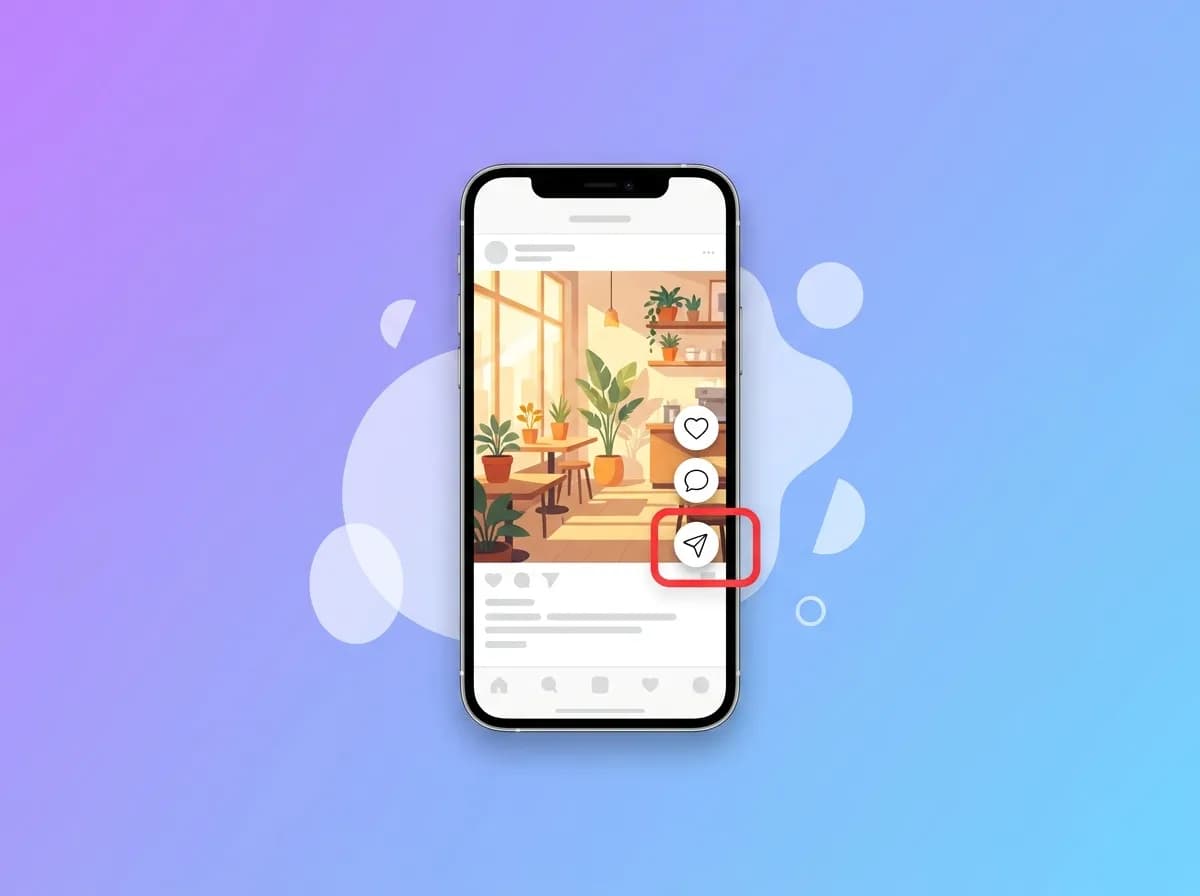 01
Open the Reel and tap Share
Open the Reel or video post in the Instagram app and tap the paper-plane Share button: on the right-hand side of a Reel, or under a post. On a computer, use the three-dots menu on the post.
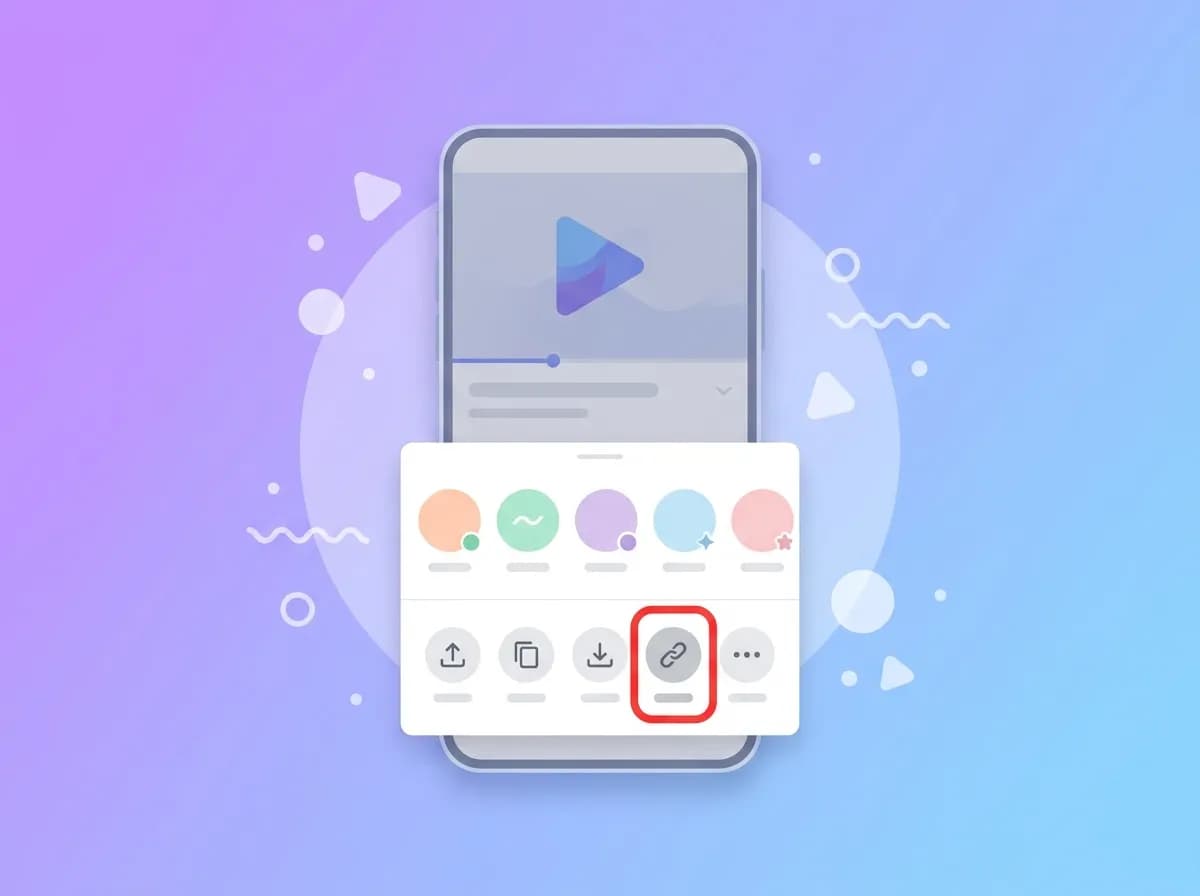 02
Tap Copy link
Choose Copy link in the sheet that slides up. Links to /reel/, /reels/ and /p/ all work, and so does the address bar of a post opened on its own.
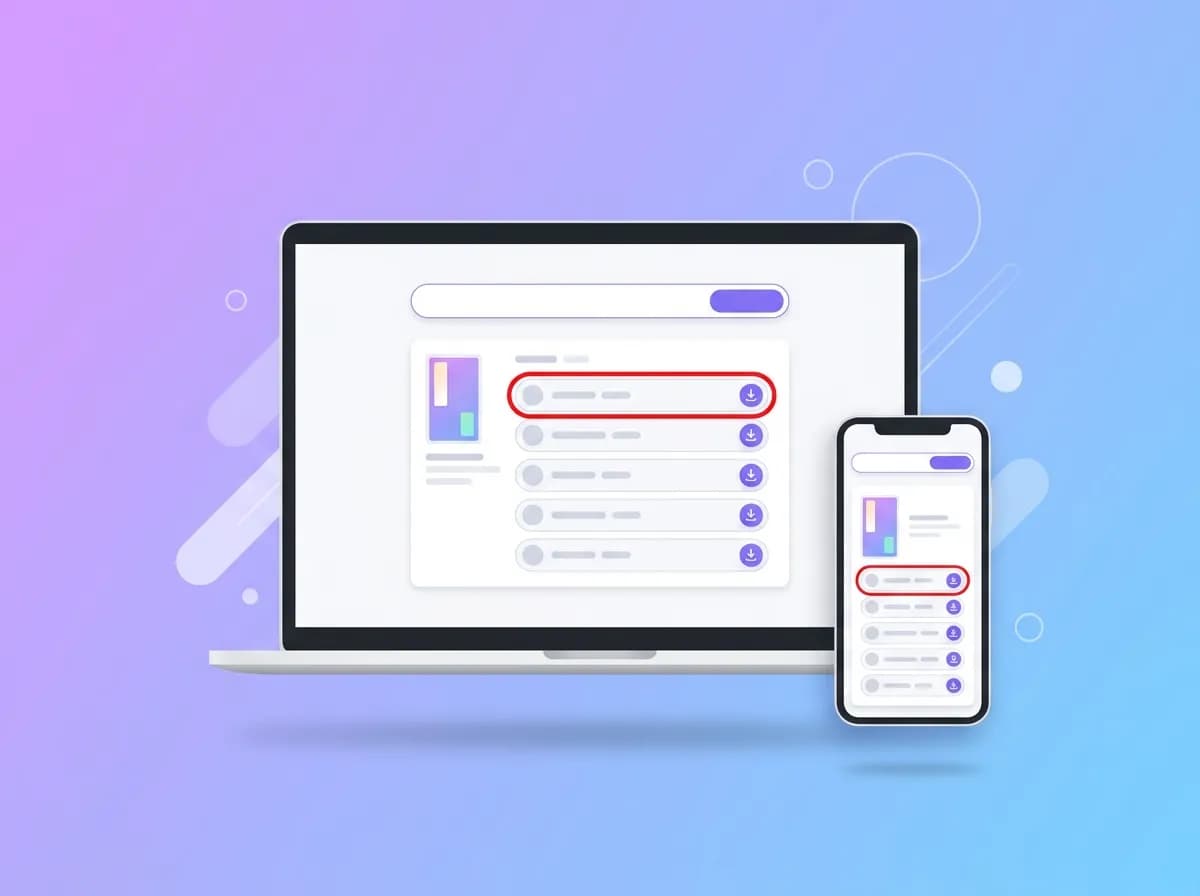 03
Paste the link and pick a file
Paste the link into the box at the top of this page and tap Download. Download now saves the MP4 at once; Render & download makes the 1080p copy on our server with the sound, and the M4A or MP3 saves the sound alone.
Good to know about Instagram videos
- Only public posts work. Reels from private accounts, Close Friends posts and Stories are not shown to a tool, and photos cannot be saved yet.
- A carousel with several videos lists each one as Video 1, Video 2 and so on, each with its own download buttons.
- The 1080p copy uses the VP9 codec, which recent phones and every browser play. If an older phone or editor will not open it, take the 720p MP4, which plays everywhere.
On your device
How to save a Instagram video on any device
The steps are the same everywhere. Only where the file lands is different.
iPhone and iPad
Copy the share link, paste it here, and tap a download row. Safari puts the file in the Files app under Downloads; open it there, tap Share and choose Save Video to move it into Photos.
Android
Copy the share link, paste it here, and tap a download row. Chrome saves to the Downloads folder, and the video shows up in Google Photos under the device folders within a minute.
Windows and Mac
Paste the link and click the quality you want. The file goes to your normal downloads folder. This is the easiest place to take the 1080p version, which is larger than a phone usually needs.
Why this one
Quick, private, and nothing left behind
No pop-ups between you and the file, no countdown before the link appears.
Resolved in a few seconds
Links are parsed server-side and handed back as direct media URLs, so the only thing that limits you is your own connection speed.
No account, no app install
Everything runs in the browser tab you already have open. We never ask you to sign in or hand over credentials for the source platform.
Clean files, no watermark
Where the platform exposes an unbranded rendition, that is the one we hand you first, ready to re-edit without a logo in the corner.
Every quality on offer
HD, SD and audio-only renditions are listed side by side with their file size so you can pick what fits your storage.
Built for phones first
The layout is designed for one-handed use on a phone, and works the same on tablets, laptops and desktops.
Nothing kept afterwards
Submitted links are used to answer the request and then dropped. No download history, no profile, no tracking cookies.
Related Instagram tools
- Instagram photo downloader: Every image in a public photo post or carousel saved as its own JPG.
- Instagram to MP3: Save a Reel's sound as the original M4A or an MP3 at 320, 256 or 128 kbps.
- Save Instagram Reels to your iPhone: From the Reel's link to the camera roll in a few steps.
- How to convert a Reel to MP3: M4A or MP3, which bitrate is enough, and what to do with the audio.
Instagram downloader questions
How do I use this Instagram downloader?
Open the Reel or post, tap the paper-plane Share button and choose Copy link, then paste the link into the box above and tap Download. The video files, the sound and the cover image are listed within a few seconds, each with its own button.
Does it work as an Instagram Reels downloader?
Yes. Reel links in any form work, including the ones copied from the share button and the address bar. The Reel comes back as an MP4 with its sound, plus the audio on its own and the cover.
What quality do Instagram videos download in?
The complete MP4 Instagram serves, often 720p, downloads at once. Where Instagram keeps a 1080p copy, Render & download makes it on our server by joining the picture and the sound. That copy uses VP9, which every browser and recent phones play; on an older phone, take the 720p.
Can I download Instagram Reels as MP3?
Yes. Every video comes with its sound as an M4A, which downloads at once, and as an MP3 at 320, 256 or 128 kbps, converted on our server in a few seconds.
Can I download Instagram photos, carousels or Stories?
Carousels of videos work: each video is listed as Video 1, Video 2 and so on. Photos cannot be saved yet, and Stories are not shown to a tool, so those links come back with a message instead of files.
Can I save a video from a private Instagram account?
No. Posts from private accounts and Close Friends posts are shown only to the people the owner chose, so no link-based tool can open them. Ask the owner to send you the video instead.
How do I save an Instagram Reel to my iPhone?
Open this page in Safari, paste the Reel's link and download the 720P MP4. Safari saves it in the Files app under Downloads; open it there, tap Share and choose Save Video to put it in Photos. The 720P file is H.264, which Photos imports on every iPhone.
Is this Instagram video downloader free?
Yes, with no limits, no account and no paid tier. The link is used to answer the request and then dropped, and no copy of any video is kept on our side.