Private Facebook Downloader
Paste the link of a Facebook video that only plays after a login, such as a post in a public group, to save it as an MP4 in HD or standard quality, or as an MP3.
Short answer
To download a private Facebook video, copy the post's link (Share, then Copy link), paste it into the box above and tap Download. This works for videos Facebook hides behind its login wall, such as posts in public groups; the HD and standard MP4 are listed within seconds, with no Facebook login on your side. Videos shared with Friends only, Only me or a private group cannot be saved from a link.
| The video is | Result |
|---|---|
| In a public group | Works: paste the link of the post with the video |
| Shown only after a login | Works: HD and standard MP4, or MP3 |
| Shared with Friends or Only me | Cannot be saved: only the people chosen can see it |
| In a private group | Cannot be saved: only members can see it |
| Deleted | Cannot be saved: the link no longer opens a video |
How it works
How to download a Facebook video that needs a login
For videos Facebook only plays after you log in: posts in public groups, and videos that open behind the login wall. Paste the link; we open it with our own Facebook account, so you never sign in here.
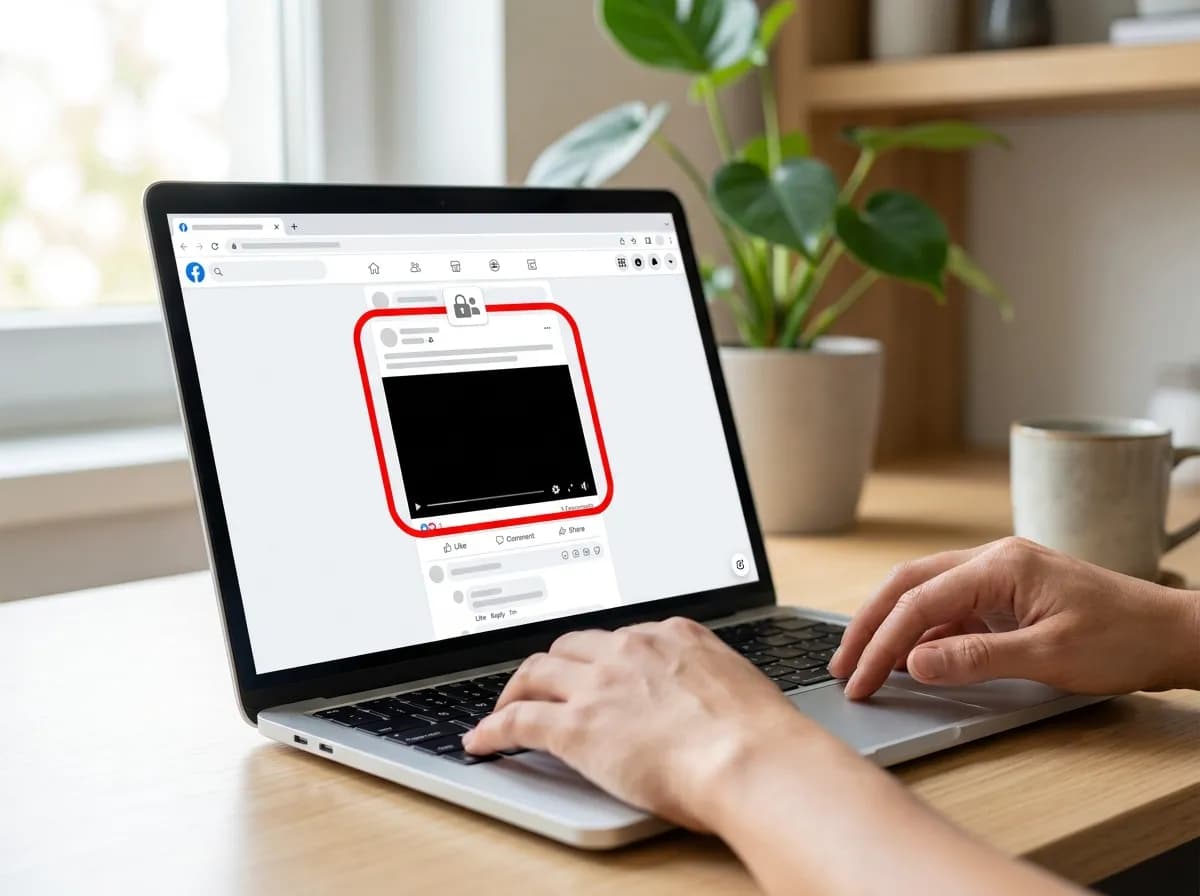 01
Find the video on Facebook
Open the video, Reel or group post in the Facebook app or in a browser. If Facebook asks people to log in before it plays, this is the page for it.
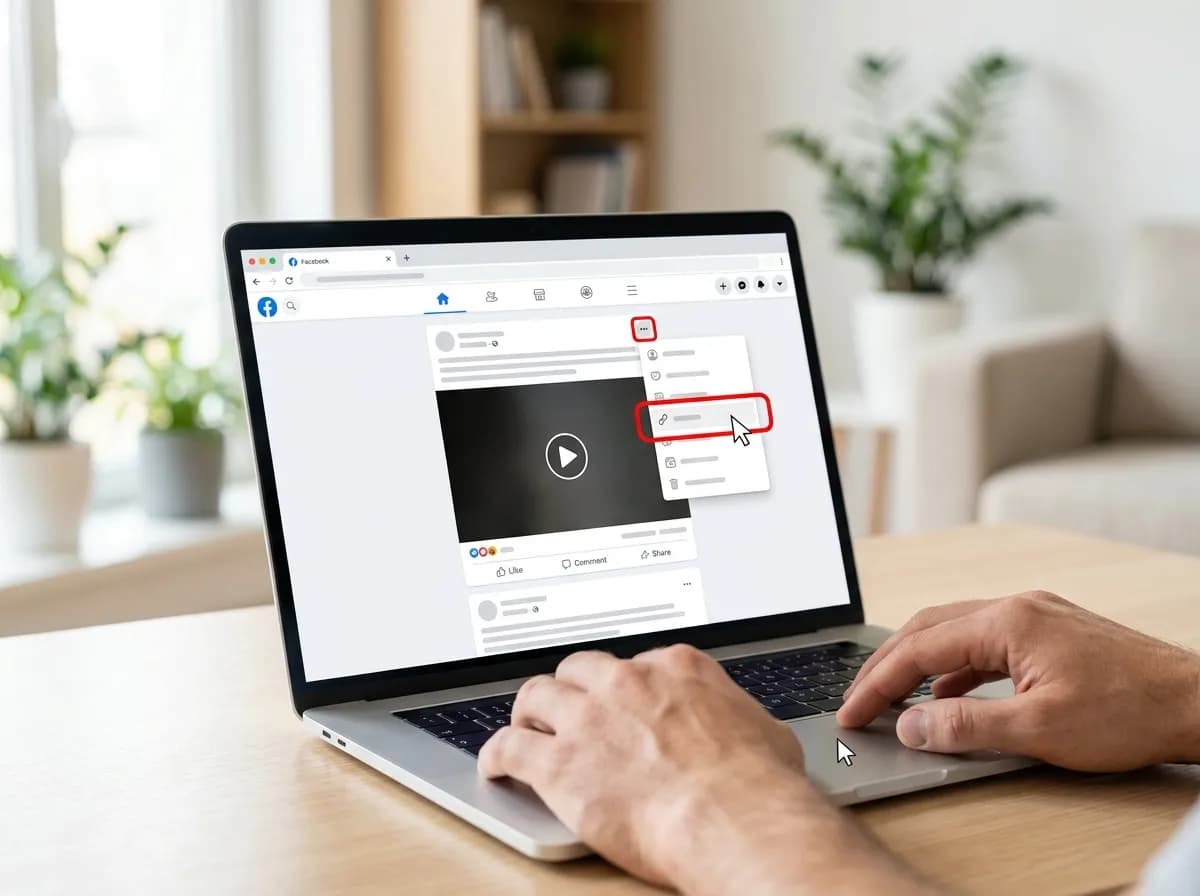 02
Copy the post's link
Tap Share, then Copy link. On a computer, open the three-dots menu on the post and choose Copy link, or copy the address bar while the video is open on its own.
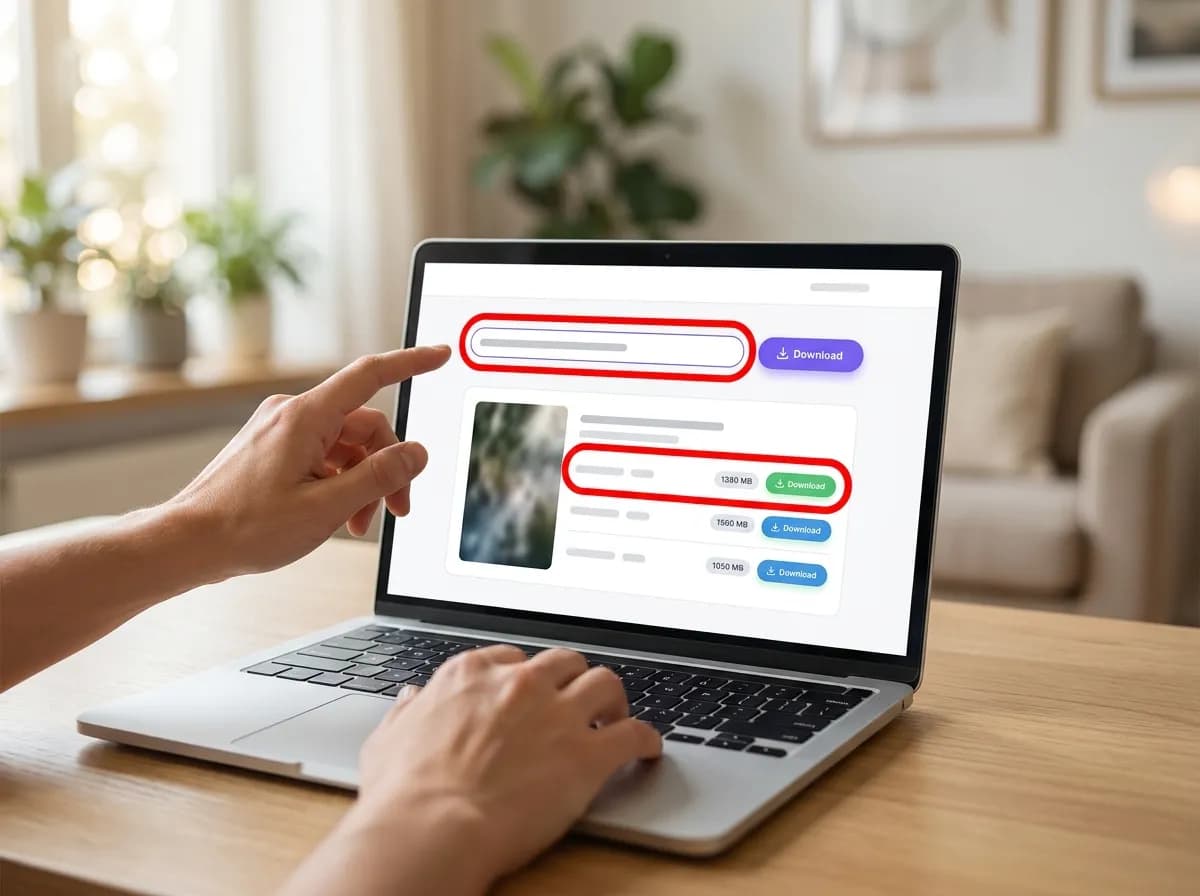 03
Paste it and pick a quality
Paste the link into the box at the top of this page and tap Download. Pick an HD or standard MP4, or the sound as M4A or MP3, and the file saves to your Downloads.
Good to know about login-only videos
- Videos set to Friends or Only me, and posts in private groups, are shown only to the people chosen. No link-based downloader can open them, this one included.
- Public videos, Reels and fb.watch links work just as well here as on the main Facebook video downloader.
- A video in a group was shared with its members. Keep it for yourself and ask before passing it on or reposting it.
On your device
How to save a Facebook video on any device
The steps are the same everywhere. Only where the file lands is different.
iPhone and iPad
Copy the share link, paste it here, and tap a download row. Safari puts the file in the Files app under Downloads; open it there, tap Share and choose Save Video to move it into Photos.
Android
Copy the share link, paste it here, and tap a download row. Chrome saves to the Downloads folder, and the video shows up in Google Photos under the device folders within a minute.
Windows and Mac
Paste the link and click the quality you want. The file goes to your normal downloads folder. This is the easiest place to take the 1080p version, which is larger than a phone usually needs.
Why this one
Quick, private, and nothing left behind
No pop-ups between you and the file, no countdown before the link appears.
Resolved in a few seconds
Links are parsed server-side and handed back as direct media URLs, so the only thing that limits you is your own connection speed.
No account, no app install
Everything runs in the browser tab you already have open. We never ask you to sign in or hand over credentials for the source platform.
Clean files, no watermark
Where the platform exposes an unbranded rendition, that is the one we hand you first, ready to re-edit without a logo in the corner.
Every quality on offer
HD, SD and audio-only renditions are listed side by side with their file size so you can pick what fits your storage.
Built for phones first
The layout is designed for one-handed use on a phone, and works the same on tablets, laptops and desktops.
Nothing kept afterwards
Submitted links are used to answer the request and then dropped. No download history, no profile, no tracking cookies.
Related Facebook tools
- Facebook video downloader: Save public Facebook videos and Reels in HD, or render 1080p with its sound.
- Facebook Story downloader: Paste a story link and save the video as an HD MP4 before it disappears.
- Facebook to MP3: Convert the sound of a Facebook video or Reel to MP3 at 320, 256 or 128 kbps.
- Save a Facebook video to your iPhone: From a Facebook link to the iPhone camera roll in five steps, and which file Photos accepts.
Facebook private video downloader questions
How do I download a private Facebook video?
Copy the post's link with Share, then Copy link, paste it into the box above and tap Download. If Facebook only shows the video after a login, we open it with our own account, and the HD and standard MP4s are listed within seconds.
Which private videos can be downloaded?
Videos Facebook hides behind its login wall: posts in public groups, and videos that ask visitors to log in before they play. Videos set to Friends or Only me, and posts in private groups, are shown only to the people chosen, so no link-based tool can open them.
Can I download a video from a Facebook group?
Yes, from a public group: paste the link of the post with the video. Private groups show their posts only to members, so a video from one cannot be saved from its link.
Do I need to log in or give my Facebook password?
No. You only paste a link. There is nothing to sign in to on this site, and we never ask for your Facebook account, password or cookies.
Why does it say the video could not be fetched?
The video is most likely shared with friends only, posted in a private group, or deleted. Check that the link opens the video itself, then try again; if it still fails, the owner has limited who can see it.
Does it work on a phone?
Yes. Copy the link in the Facebook app, open this page in Safari or Chrome and paste it. On iPhone the MP4 lands in Files, under Downloads; on Android it goes to the Downloads folder.
Is the Facebook private video downloader free?
Yes, with no limits, no account and no paid tier. The link is used to answer the request and then dropped, and the video files are passed through to you without a copy being kept on our side.