Facebook video downloader for public videos and Reels
Paste a public Facebook video, Reel or fb.watch link to get the MP4 in HD and standard quality, plus the audio track and the cover image.
How it works
How to download a Facebook video or Reel
Works for public videos, Reels and Watch links, on a phone or a computer. No Facebook login, no app, and the file is named after the post.
 01
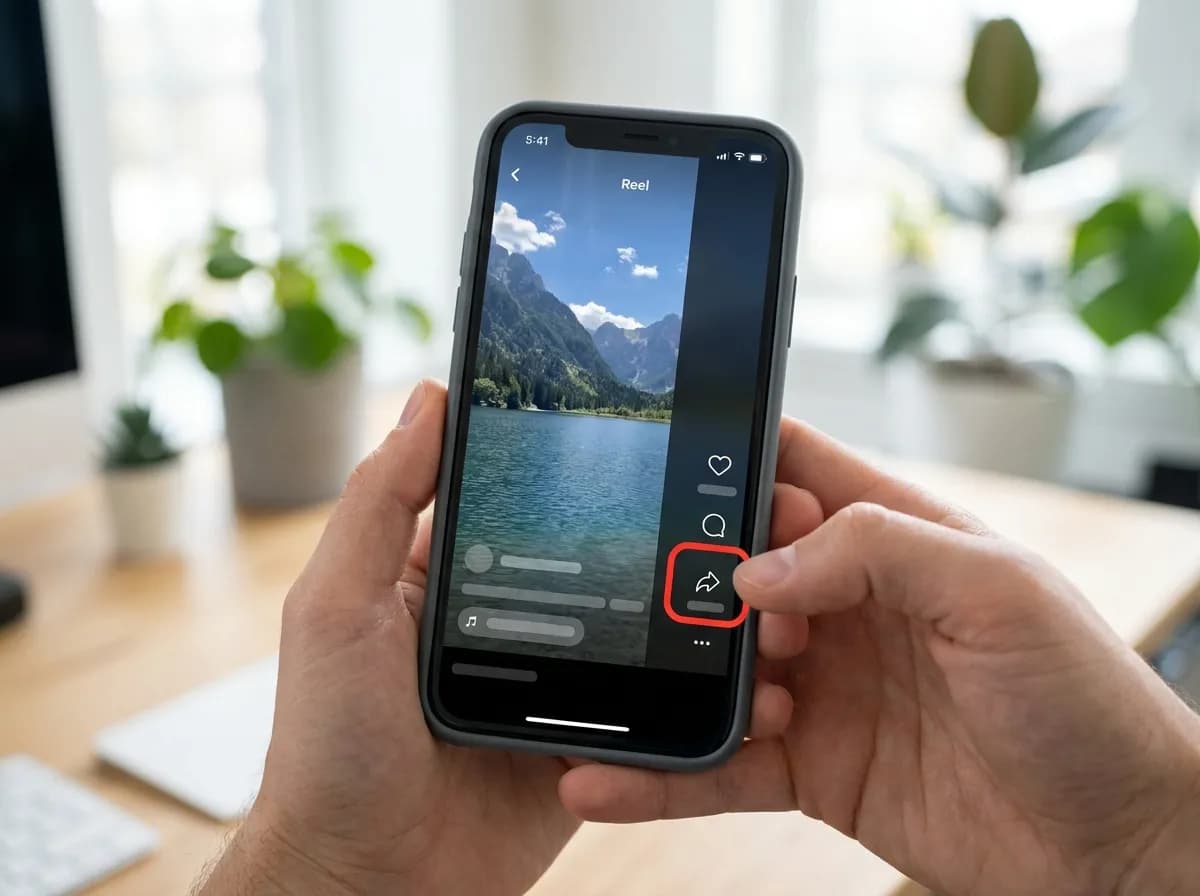
01Open the video and tap Share
Open the video or Reel in the Facebook app and tap Share: the curved arrow under a video, or on the right-hand side of a Reel. On a computer, use the Share button under the video.
 02
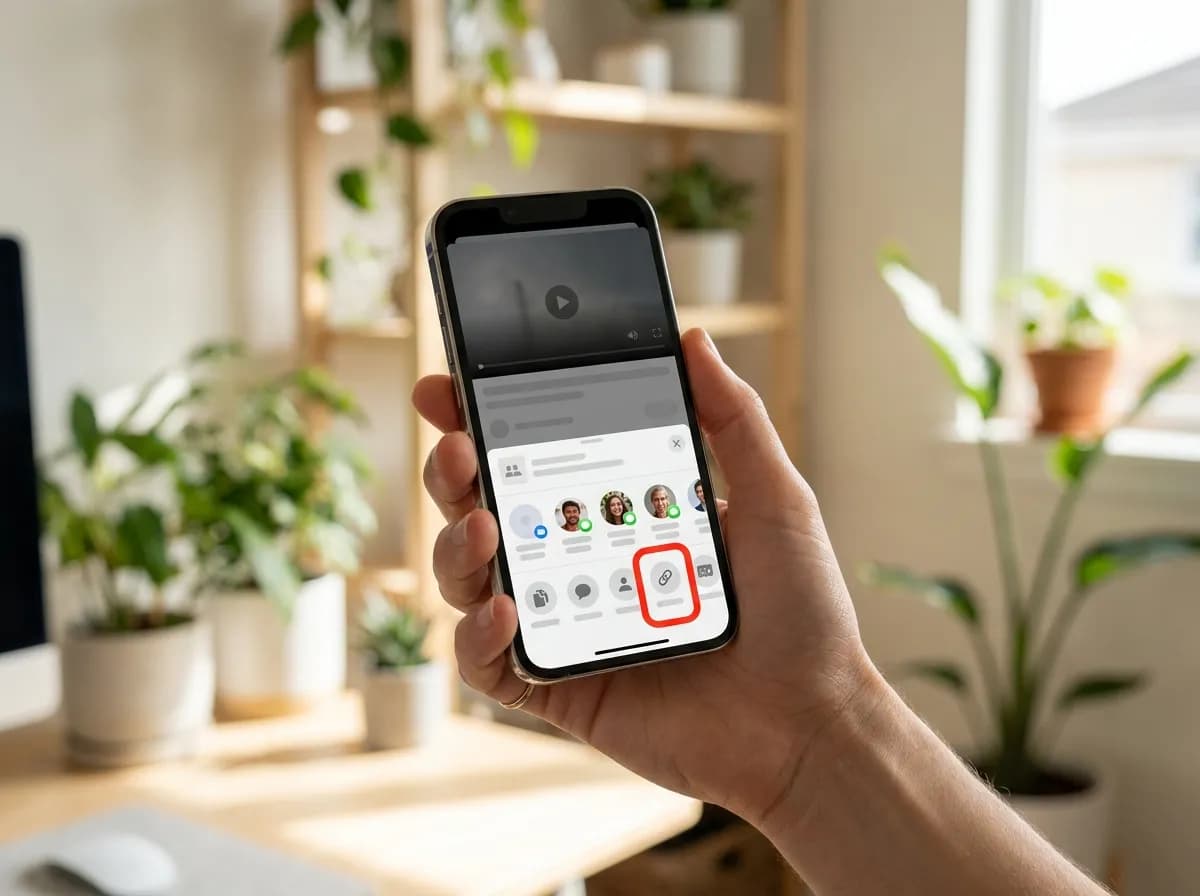
02Tap Copy link
Choose Copy link in the menu that slides up. The facebook.com/share/ links the app copies and short fb.watch links both work: the box follows them to the post.
 03
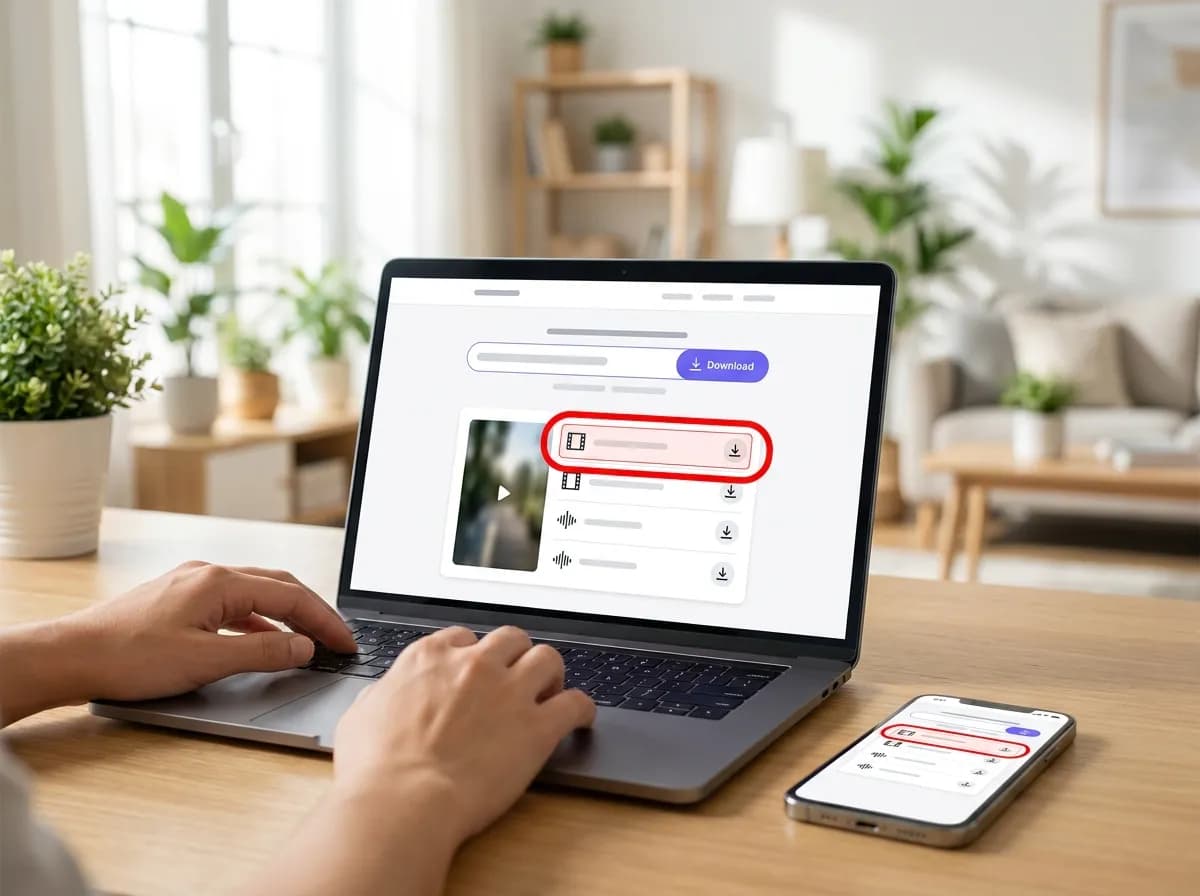
03Paste the link and pick a file
Paste the link into the box at the top of this page and tap Download. Pick MP4 · HD for the best copy, MP4 · Standard for a smaller file, or the M4A for the sound alone.
Good to know about Facebook videos
- Only public posts work. Videos shared with friends, posts in private groups, and Stories cannot be fetched by any tool that does not log in as you.
- HD is usually 720p. Facebook keeps some videos in 1080p or higher only as separate picture and sound streams, which cannot be saved from a link yet.
- On iPhone, Safari saves the MP4 into Files, under Downloads; Share then Save Video moves it into Photos. The iPhone guide walks through the same steps with pictures.
Why this one
Everything you need, nothing you don't
No pop-ups between you and the file, no countdown before the link appears.
Resolved in a few seconds
Links are parsed server-side and handed back as direct media URLs, so the only thing that limits you is your own connection speed.
No account, no app install
Everything runs in the browser tab you already have open. We never ask you to sign in or hand over credentials for the source platform.
Clean files, no watermark
Where the platform exposes an unbranded rendition, that is the one we hand you first, ready to re-edit without a logo in the corner.
Every quality on offer
HD, SD and audio-only renditions are listed side by side with their file size so you can pick what fits your storage.
Built for phones first
The layout is designed for one-handed use on a phone, and works the same on tablets, laptops and desktops.
Nothing kept afterwards
Submitted links are used to answer the request and then dropped. No download history, no profile, no tracking cookies.
Facebook downloader questions
How do I use this Facebook video downloader?
Copy the link of a public video or Reel with Share, then Copy link, paste it into the box above and tap Download. The HD and standard MP4s, the audio track and the cover image appear within a few seconds, each with its own download button.
Can I download Facebook Reels here?
Yes. Paste a facebook.com/reel/ link, a Watch link or a short fb.watch link and the Reel comes back as an MP4 with its sound. Links copied with the share button, which go through facebook.com/share/, work too: the box follows them to the post.
Does it work as an fb video downloader on a phone?
Yes. It runs in any phone browser, so it is an fb video downloader on iPhone and Android with no app to install. On iPhone, Safari saves the MP4 to the Files app, and Share then Save Video moves it into Photos; on Android it lands in Downloads.
What quality do the Facebook videos come in?
The HD file is the best copy Facebook serves with picture and sound together, usually 720p, and the standard file is a smaller copy, often 360p. Facebook keeps some videos in 1080p or higher only as separate picture and sound streams, and those cannot be saved from a link here yet.
Is there a working Facebook private video downloader?
No, and this is not one. Only public posts can be fetched: videos shared with friends, in private groups or behind a login are out of reach for any tool that does not use your account, and this site never asks for it.
Does this work as a Facebook story downloader?
No. Stories are tied to the account that posted them and disappear after a day, so they are not public posts with a lasting link. Videos and Reels on a public page or profile are what this tool saves.
Can I save just the sound of a Facebook video?
Yes. Every resolved video also lists its audio track on its own, as an M4A file, which plays in the music apps on iPhone, Android and computers. It is the original sound, passed through as Facebook serves it.
Do I need to log in to Facebook to download a video?
No. The tool fetches public posts the way a logged-out browser would, so no account, password or app is needed. If a video only opens while you are logged in, it is not public and will not resolve.
Why does my Facebook link say the video could not be fetched?
The post is usually private, deleted, or limited to some countries or ages. Check that it opens in a private browser window without logging in. If it does and still fails, try again in a minute, or send the link through the contact page.
Other platforms
3 more downloaders share the same box: paste any supported link on the home page and the platform is detected for you.