A direct Douyin video downloader
Paste a v.douyin.com or douyin.com/video/ link to get the original files. The tool returns direct links for the HD and standard video, the audio track and the cover image.
How it works
How to download a Douyin video without the watermark
Douyin's interface is in Chinese, but only two buttons matter. You do not need a Douyin account or a Chinese phone number.
 01
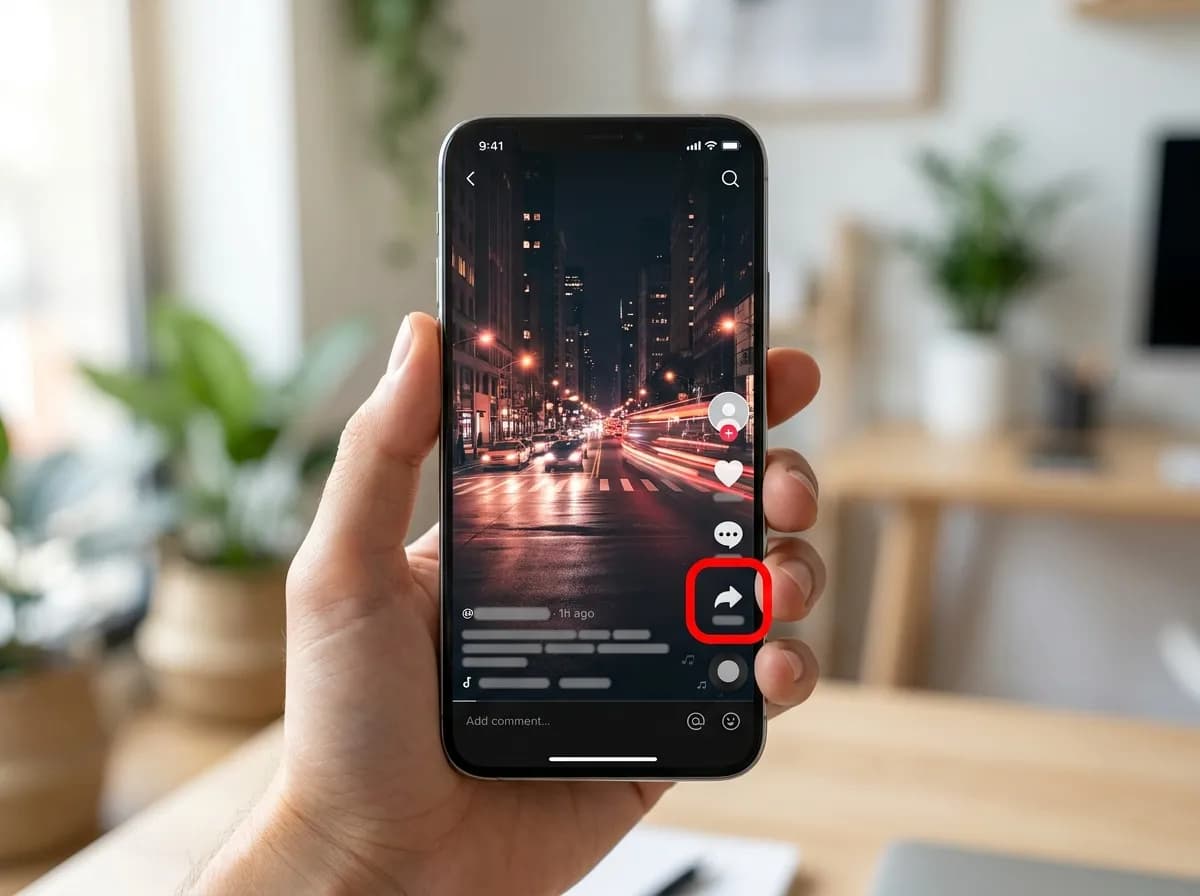
01Tap Share (分享)
Open the video in the Douyin app and tap the arrow-shaped button on the right-hand side, labelled 分享. On douyin.com, the same button sits beside the video.
 02
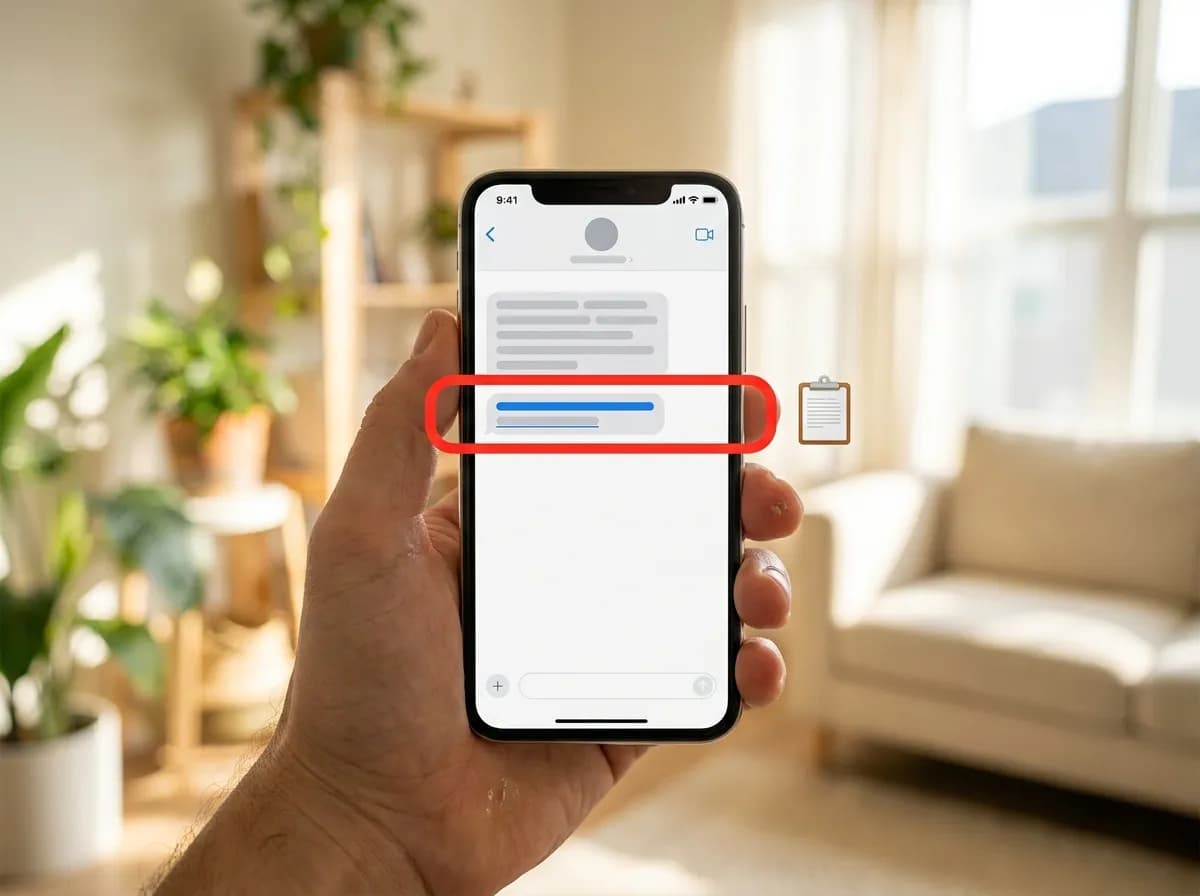
02Copy the link (复制链接)
Choose 复制链接. Douyin copies the link wrapped in a line of Chinese text and emoji. There is no need to trim it: the box picks the v.douyin.com link out of whatever you paste.
 03
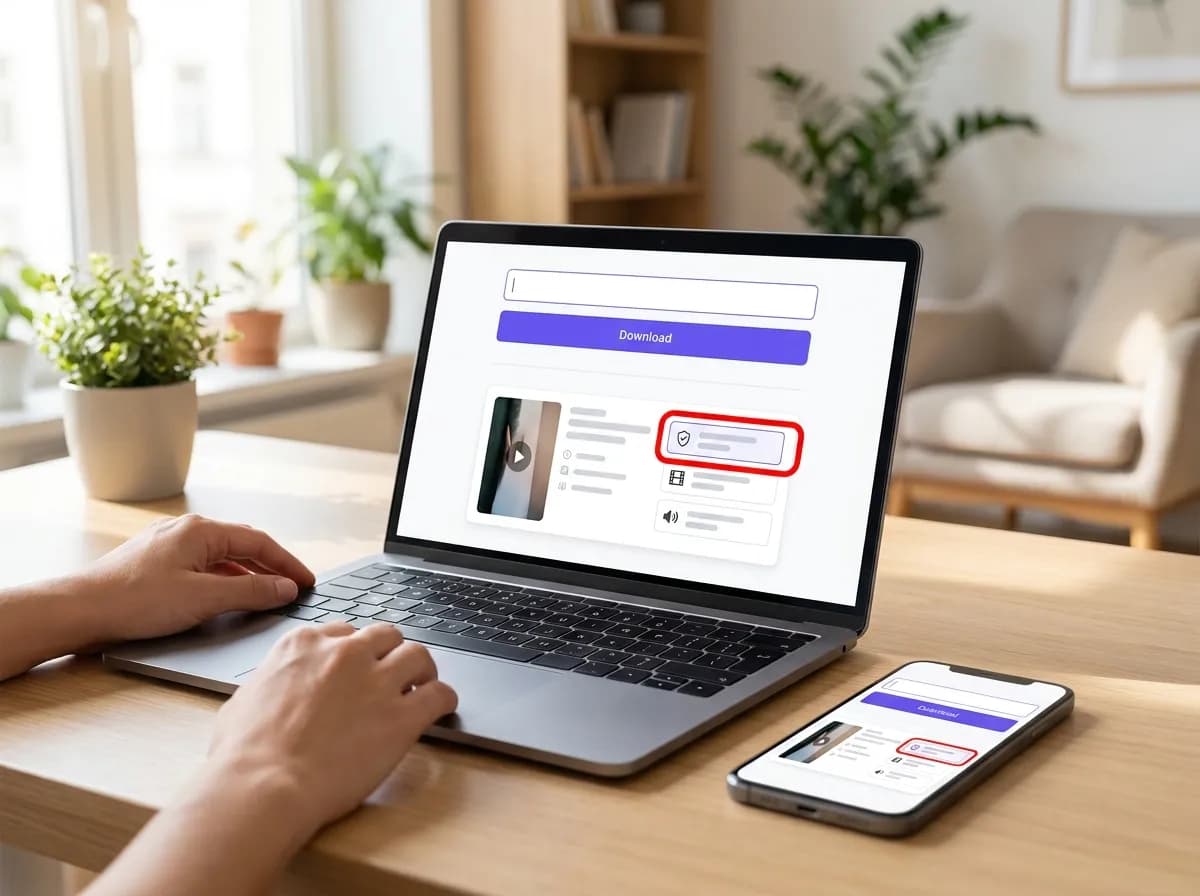
03Paste it and save the clean copy
Paste everything into the box at the top of this page and tap Download. The first option is the video without the Douyin watermark, usually in 1080p; smaller 720p and 576p copies, the audio track and the cover image follow.
If a Douyin link will not resolve
- Wait a minute and try again. Douyin is strict about where requests come from, and a link that fails once often works on the second attempt.
- Check that the video is public. Private, friends-only and deleted videos cannot be resolved.
- Links from tiktok.com belong on the TikTok page. Douyin and TikTok are separate apps with separate videos, so their links are not interchangeable.
- Chinese titles become a plain file name on download, because some phones and computers handle those characters badly in file names. The original title still shows in the preview.
Why this one
Everything you need, nothing you don't
No pop-ups between you and the file, no countdown before the link appears.
Resolved in a few seconds
Links are parsed server-side and handed back as direct media URLs, so the only thing that limits you is your own connection speed.
No account, no app install
Everything runs in the browser tab you already have open. We never ask you to sign in or hand over credentials for the source platform.
Clean files, no watermark
Where the platform exposes an unbranded rendition, that is the one we hand you first, ready to re-edit without a logo in the corner.
Every quality on offer
HD, SD and audio-only renditions are listed side by side with their file size so you can pick what fits your storage.
Built for phones first
The layout is designed for one-handed use on a phone, and works the same on tablets, laptops and desktops.
Nothing kept afterwards
Submitted links are used to answer the request and then dropped. No download history, no profile, no tracking cookies.
Douyin downloader questions
How can I download Douyin video without watermark?
Paste the Douyin share link into the box. The tool returns several files, including the unbranded master copy that Douyin keeps on its server. This version has no watermark applied and is usually the highest quality available.
Is this tool a Douyin watermark remover?
No, the tool does not edit video files or remove watermarks from them. It finds and returns the original, unbranded master file that Douyin stores alongside the watermarked version. This original file was never watermarked in the first place.
Can I use this as a Chinese TikTok video downloader?
Yes, if you mean the app Douyin, which is the original version of TikTok for mainland China. This tool works with public v.douyin.com links. It does not work with links from tiktok.com, which is a separate service with a different library of videos.
How do I save Douyin video HD versions?
After you paste a link, the tool will offer all available resolutions. The unbranded version is typically the highest quality, often in 720p or 1080p HD. Select the HD download link to save the file to your device.
Do I need a Douyin account or a Chinese phone number?
No account or phone number is needed. The tool communicates directly with Douyin's servers to resolve the public link you provide. You only need the share URL for the video you want to download.
How do I save a Douyin video to my iPhone?
On iOS, Safari will save the video file to your iCloud Files or the 'On My iPhone' folder inside the Files app. To move it to your camera roll, open the video in Files, tap the share icon, and choose 'Save Video'.
Does this site keep a history of my Douyin downloads?
No. The link you paste is used only to process your request and is not stored in a database. There is no user history, no accounts and no record of what you have downloaded.
Why did my Douyin link fail to resolve?
This can happen if the video is private, friends-only, or has been deleted. Douyin can also be strict about where requests come from, so a temporary network error may cause a failure. Please check the link is public and try again after a minute.
Other platforms
3 more downloaders share the same box: paste any supported link on the home page and the platform is detected for you.