How to download Douyin videos outside China
You can download Douyin videos from anywhere in the world, with no Douyin account. In the Douyin app, tap 分享 (Share), then 复制链接 (Copy link), paste the whole copied text into the Douyin downloader and tap Download. Pick the MP4 marked No watermark and the video is saved to your phone or computer.
The part that surprises people outside China is what the Copy link button actually copies. It is not a clean address but a line of Chinese text and emoji with a v.douyin.com link somewhere inside it. You do not need to cut the link out: paste the whole thing and the box finds the link on its own.
This guide walks through the steps on a phone, then covers the link formats that work, why a first attempt sometimes fails, what happens to Chinese file names, and how Douyin differs from TikTok.
What you need
Less than most people expect:
- The Douyin app on your phone, or douyin.com open in a browser on a computer.
- A public Douyin video. Private posts, friends-only posts and anything that needs a login to watch cannot be fetched.
- A browser on the device where you want the file. Any current browser on a phone or a computer will do.
- Nothing else. SnapVidBox does not ask you to log in to Douyin, and you do not need a Chinese phone number, an app or an extension.
Step 1: Open the video in Douyin
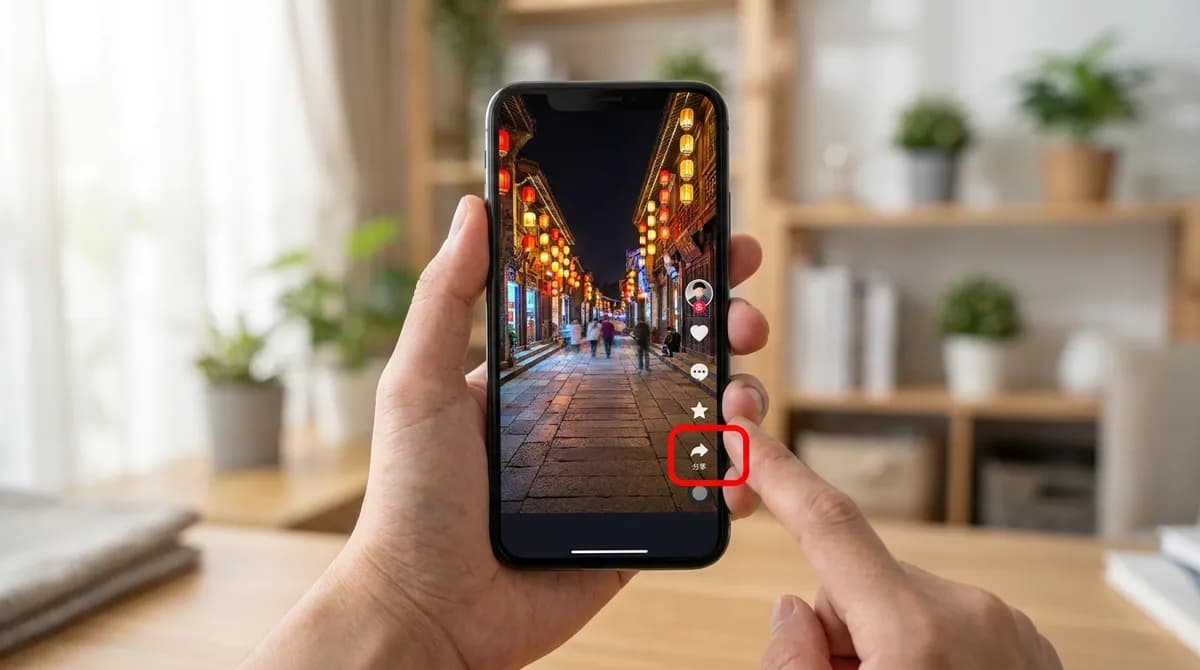
Open the Douyin app and find the video you want to save, either in the feed or on the creator's profile. Let it play full screen so the column of buttons on the right is visible: the creator's avatar at the top, then the heart, the comments bubble and, lower down, the arrow-shaped share button.
If you only use Douyin on a computer, open the video on douyin.com instead. The address bar then holds a link of the form douyin.com/video/ followed by a long number. Copy that and go straight to step 3.
The app is entirely in Chinese, which is the main obstacle for most people outside China. You do not need to read it for this guide: the two buttons that matter are named below in Chinese with their meaning, and they sit in the same place on every video.
Step 2: Tap 分享 (Share), then 复制链接 (Copy link)
Tap the arrow-shaped share button on the right. Its label reads 分享, which means Share, although on popular videos the label shows the number of shares instead. A panel slides up from the bottom of the screen with a row of contacts and a row of options.
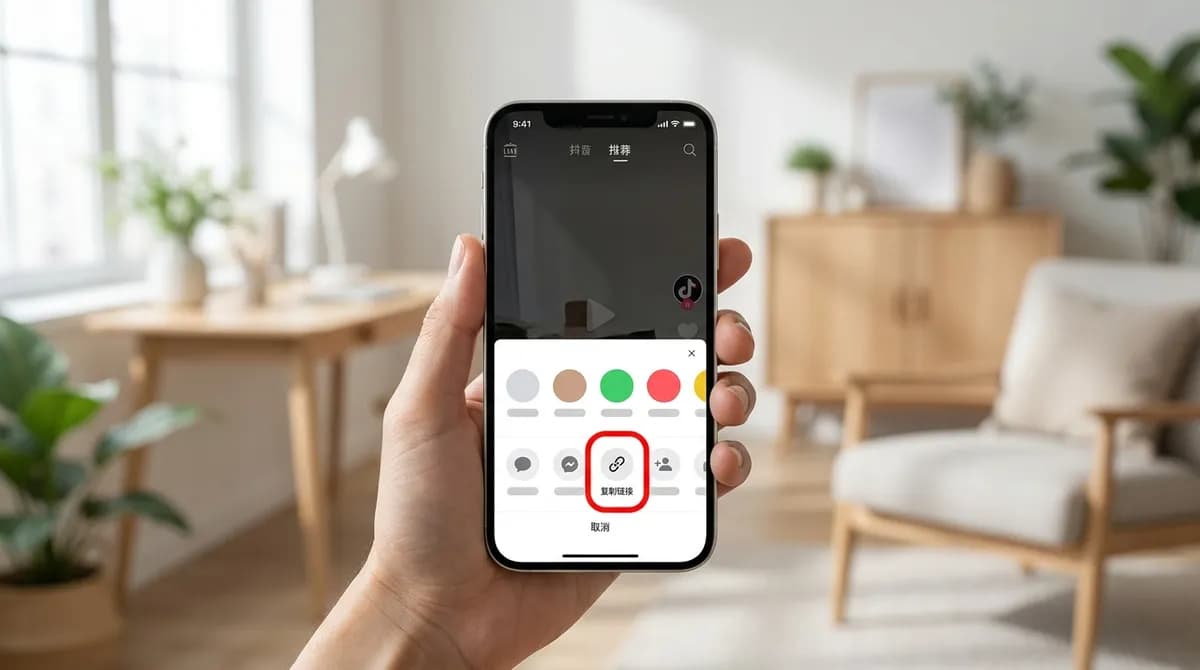
In that panel, look for 复制链接, which means Copy link. It is in the row of options, and you may need to swipe the row sideways to reach it. Tap it and Douyin copies the share text to your clipboard; a short message near the middle of the screen confirms it.
The same panel may also offer to save the video to your phone. That copy carries the Douyin logo and the creator's Douyin ID, and the option only appears when the creator allows it. For the clean file, stick with 复制链接.
Step 3: Paste the whole share text and tap Download
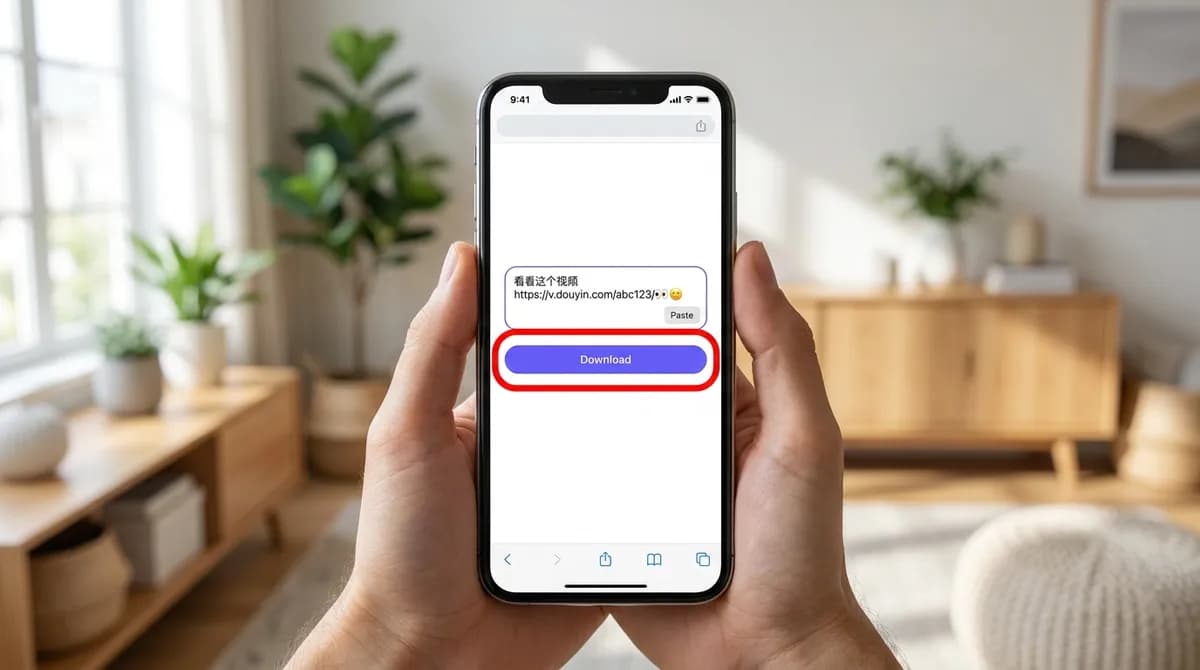
Open the Douyin downloader in your phone's browser. Tap Paste, or long-press the box and choose Paste. What lands in the box is a line of Chinese text, a few emoji, a v.douyin.com link and sometimes a short code. That is expected.
Leave it all in place and tap Download. The box extracts the v.douyin.com link from the surrounding text, so there is nothing to trim by hand. If you would rather tidy it up anyway, keep only the part that starts with https://v.douyin.com/ and ends with the slash after the code.
To save the video on a computer instead, send the share text to yourself in a note or a chat message, copy it on the computer and paste it there. The text survives the trip intact, and the link inside still works.
Step 4: Pick the MP4 without the watermark
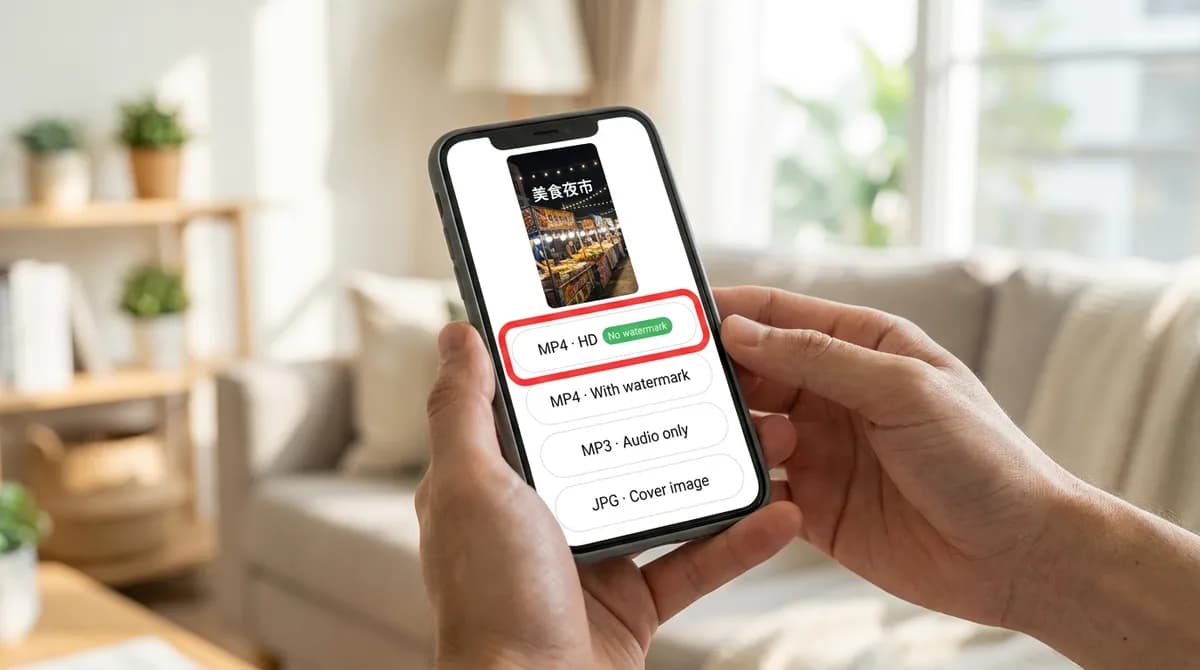
A result card appears with the video's cover and its original title, usually in Chinese. Below it is the list of files Douyin serves for that post: the MP4 without the watermark in the highest resolution Douyin has, usually 1080p, with the No watermark badge, then smaller 720p and 576p copies, the audio track as an MP3 and the cover image as a JPG.
Tap the MP4 marked No watermark. It is the copy Douyin stores without the logo and creator ID, not a version with the logo painted out, so the whole frame is there. The smaller copies below it are the same clean video at a lower resolution, handy when space is tight.
On a computer the file goes to the browser's Downloads folder. On Android it goes to the Download folder. On an iPhone, Safari saves it to the Files app; the iPhone guide shows how to move it into Photos, and the steps are the same for a Douyin file.
Douyin link formats that work
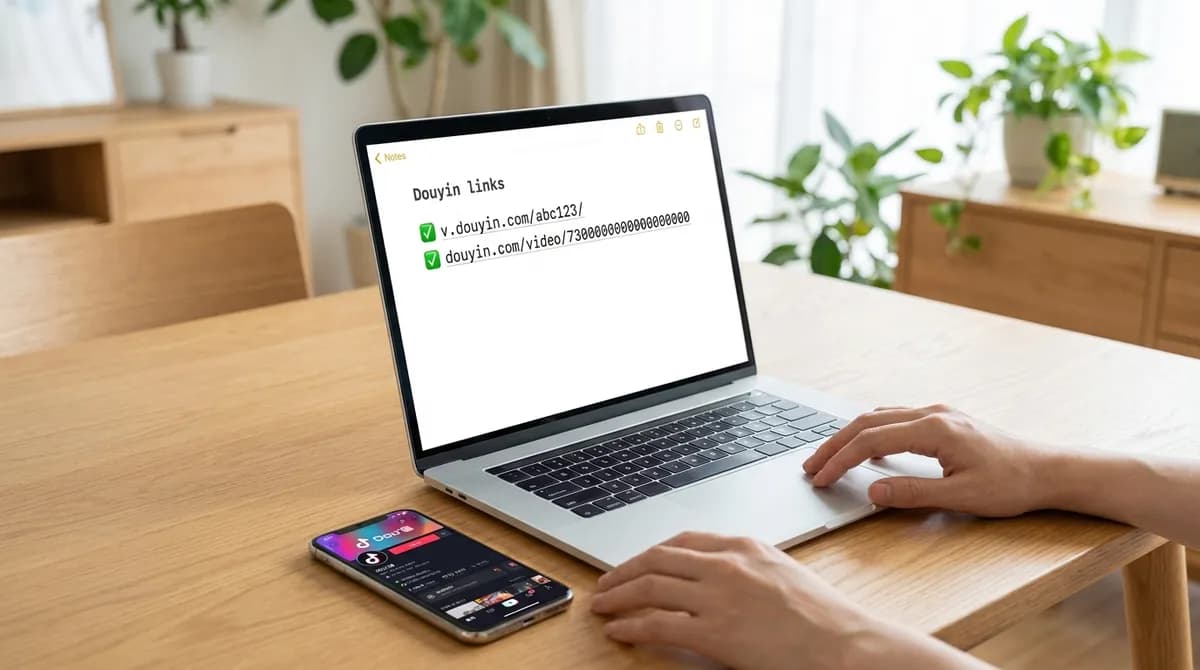
Douyin links come in a few shapes. All of these are accepted:
- Short share links: v.douyin.com/ followed by a short code. This is what 复制链接 gives you, usually wrapped in Chinese text.
- Video page links: douyin.com/video/ followed by a long number. This is what the address bar shows on the desktop site.
- Feed links with modal_id: when you open a video from the feed on douyin.com, the address can stay on the feed page with modal_id= and the video's number at the end. The downloader reads that number and turns it into the video's own link.
- The full share text: Chinese sentence, emoji, link and all. Only the link inside is used.
Why the first attempt can fail
Douyin is stricter than most platforms about where requests come from. Now and then a request is turned away even though the video is public and the link is correct. If you see an error on the first try, wait about a minute and tap Download again; the retry usually goes through.
If it keeps failing after a couple of tries, the cause is usually the video itself:
- The post is private, friends-only, or has been deleted.
- The creator restricted the video to viewers in mainland China.
- The video can only be watched after logging in to Douyin.
- The video is age-restricted.
Chinese titles and file names
Most Douyin titles are in Chinese, often with hashtags and emoji mixed in. Some operating systems and apps handle those characters poorly in file names, which can leave you with garbled names or files that are awkward to move and open.
To avoid that, the downloaded file gets a plain ASCII name rather than the Chinese title. The result card still shows the original title, so if you want to keep it, copy it from there before you leave the page and paste it into a note, or rename the file yourself.
Douyin and TikTok are different apps
Douyin is the Chinese short-video app from the same company as TikTok, but the two are separate products with separate catalogues, separate accounts and separate links. A video on Douyin is usually not on TikTok, and a TikTok link will not open a Douyin video, or the other way round.
For downloading, the practical difference is only the link. Paste a TikTok link and you get TikTok's files, as on the TikTok downloader; paste a Douyin link and you get Douyin's. The box detects the platform on its own, so there is nothing to choose. The idea behind the clean file is the same on both, and the guide to saving TikTok videos without the watermark explains it from the TikTok side.
Using what you save
Keeping a Douyin video to watch offline, or to study an edit or a dance, is ordinary personal use. Re-uploading it to another platform, or using it in paid work, needs the creator's permission, and the music on many Douyin clips is licensed separately from the video. The copyright guide goes into more detail.
In short
Tap 分享, then 复制链接, paste the whole text into the downloader and pick the MP4 marked No watermark. If the first attempt fails, wait a minute and try again. You need no Douyin account and no Chinese phone number, only a public video and a browser.
Frequently asked questions
Do I need a VPN to download Douyin videos?
Not for the download itself. SnapVidBox's server fetches the files from Douyin, so your own location does not matter for that part. Videos that Douyin restricts to mainland viewers still cannot be resolved.
Can I download a Douyin video without the app?
Yes. Open the video on douyin.com in a computer browser, copy the address from the address bar and paste it into the box. Links of the form douyin.com/video/ and feed links with modal_id both work.
Is the file without the watermark lower quality than the one in the app?
No. It is the master Douyin stores alongside the branded copy, not a copy with the logo blurred or cropped out. You get the full frame as the creator uploaded it.
Can I save only the music from a Douyin video?
Yes. The result list includes the audio track as an MP3; tap it instead of the MP4. The music is often licensed separately, so keep the file for personal listening.
Can I use the same box for Douyin and TikTok links?
Yes. The platform is detected from the link, so you paste either kind and tap Download. Just make sure the link belongs to the app the video is on, because the two catalogues are separate.
Are the Douyin links I paste stored?
No. The link is used to fetch the list of files Douyin serves, the result goes to your browser, and the link is not kept afterwards.
Ready to try it?
Paste any supported link and the platform is detected automatically.
Open the downloader