How to download a Facebook Story video before it disappears
Short answer
Open the Story while it is playing, copy its facebook.com/stories/ address and paste it into the Facebook Story downloader on SnapVidBox. The 360p file downloads at once, and 540p, 720p and 1080p are made on the server in a few seconds. Do it within the Story's 24 hours, because after that Facebook removes it.
To download a Facebook Story, copy the story's link, paste it into the SnapVidBox Facebook Story downloader and pick a file: the standard MP4 downloads at once, and 720p or 1080p are made on our server in a few seconds. It works on a phone and on a computer, and you do not log in to anything.
Stories are built to disappear. After 24 hours a story is gone from Facebook, and unlike a post there is no Save button that keeps someone else's story for later. If a friend's trip video or a Page's announcement is worth keeping, the window to save it is short, so it helps to know the steps before you need them.
The step most people get stuck on is the first one: finding the link. A story does not show a Share button the way a post does, and the address it lives at depends on whether you are in the app or in a browser. The guide starts there.
What you need
- A story that is still live, less than 24 hours old. Expired stories cannot be recovered by anyone but their owner.
- A story Facebook shows to people who are not the owner's friends. Stories set to Friends or a custom list do not open for a tool.
- A video story. Photo-only stories have no video file to save; a screenshot keeps the picture.
- Any browser on a phone or a computer. Nothing to install.
Step 1: Open the story
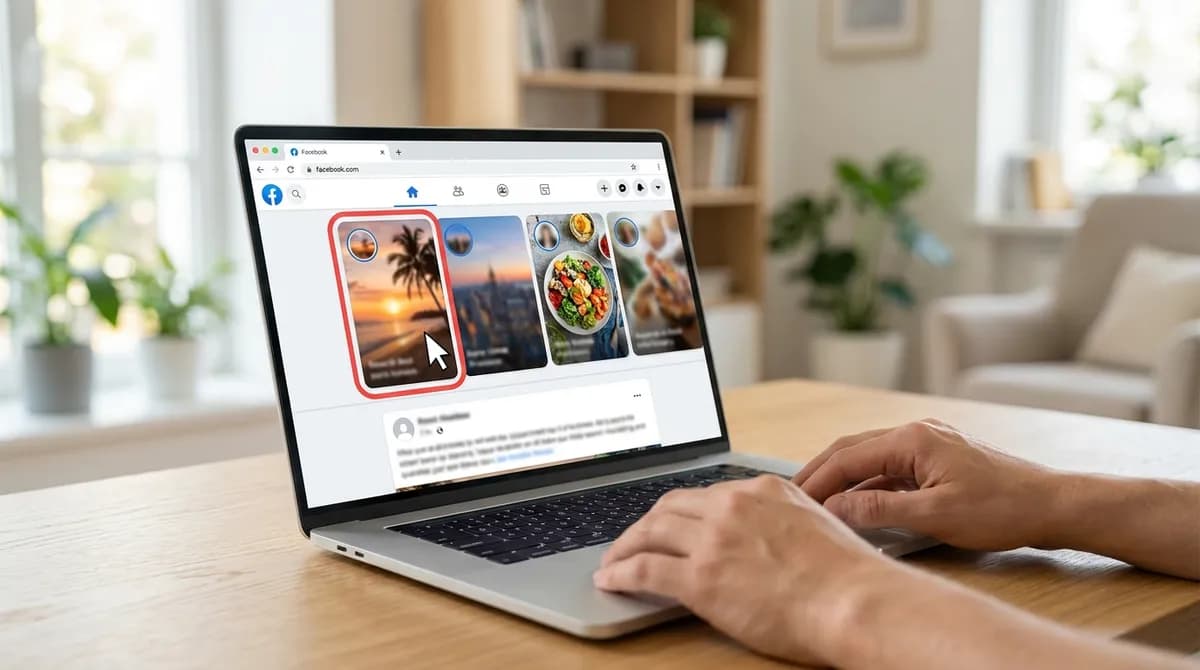
On a computer, go to facebook.com and click the story in the row of stories at the top of the news feed. On a phone you can use the Facebook app, but getting the link is simpler in a browser, so if the app does not offer it in the next step, open facebook.com in Safari or Chrome and tap the story there.
If a person has posted several stories, they play one after another. Let the one you want start playing, then pause it by holding it on a phone or clicking pause on a computer, so the address you copy is the address of that story and not the next one.
Step 2: Copy the story's link
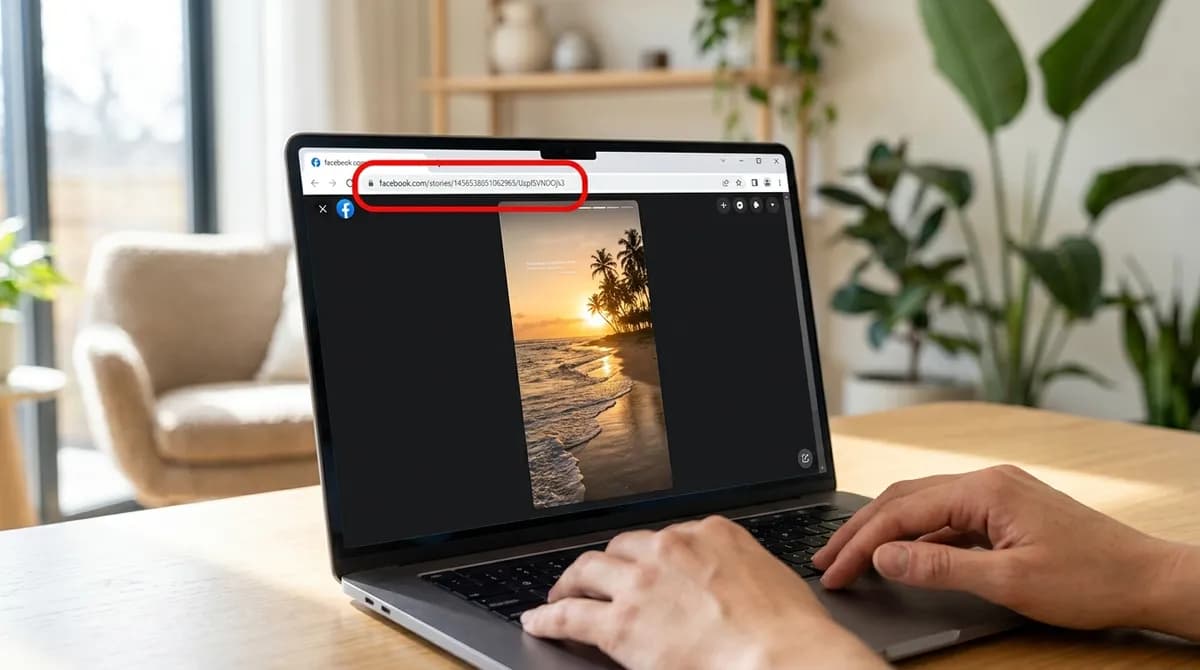
In a browser, the address bar now shows a link starting facebook.com/stories/, followed by two long codes: the first is the person or Page, the second is the story itself. Click the address bar and copy all of it with Ctrl+C or Cmd+C, or on a phone, tap the address bar and choose Copy.
In the Facebook app, tap the three dots at the top right of the story. When the story allows it, the menu includes Copy link; tap it. If you do not see that option, use a browser as described above.
Copy the link while the story is open. The address of the stories row, or of the person's profile, does not point at a story and will not work.
Step 3: Paste it into the Facebook Story downloader
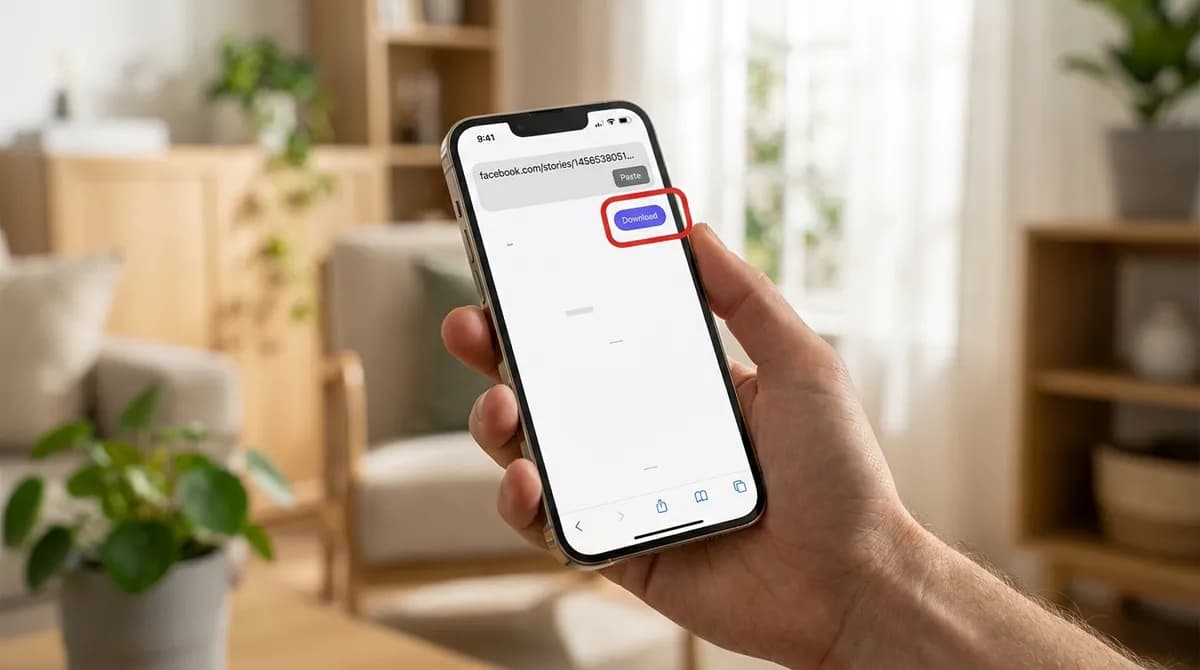
Open the Facebook Story downloader and paste the link into the box with the Paste button or Ctrl+V, then tap Download.
The story is opened on our side rather than in your account, which is why you do not need to log in here. It takes a few seconds, a little longer than an ordinary video, while the story's files are read.
Step 4: Pick a quality
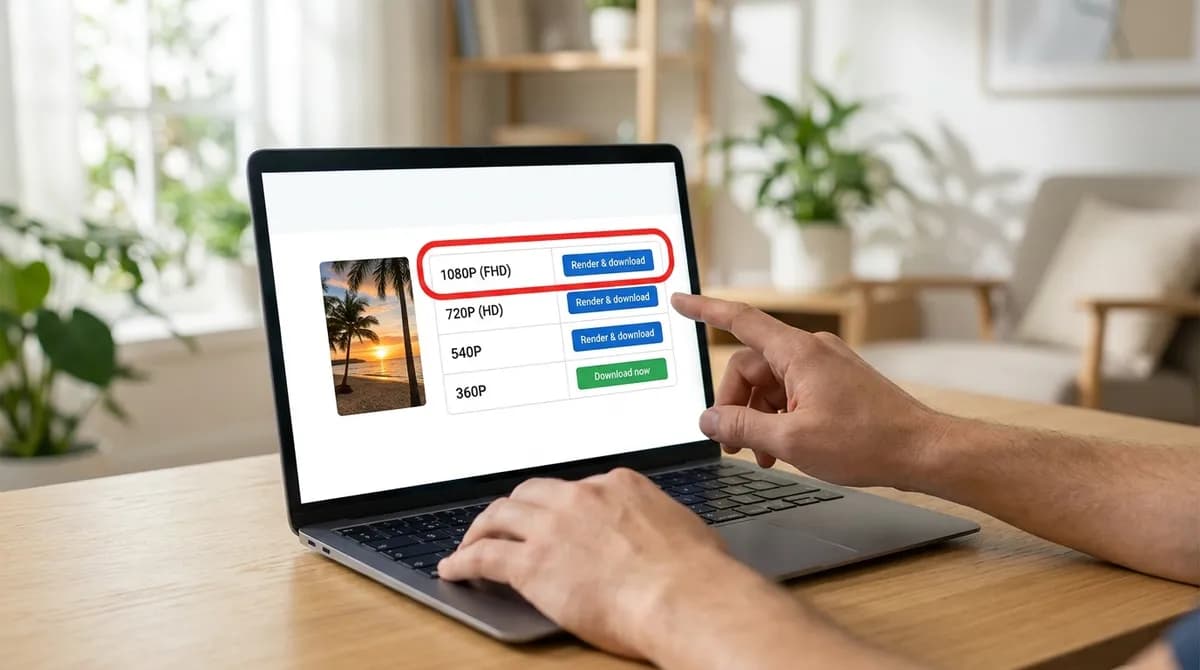
A table of files appears. Facebook keeps a story's one complete file at standard quality, usually 360p, shown with a green Download now button. Its sharper versions, 540p, 720p and 1080p, are kept as separate picture and sound, so they are listed with a blue Render & download button: our server joins the two into one MP4 when you click.
For watching on a phone, 720p is plenty and quick to make. For the sharpest copy, take 1080p. If you only want what was said or the music, the M4A and MP3 rows give you the sound alone.
Step 5: Save the file
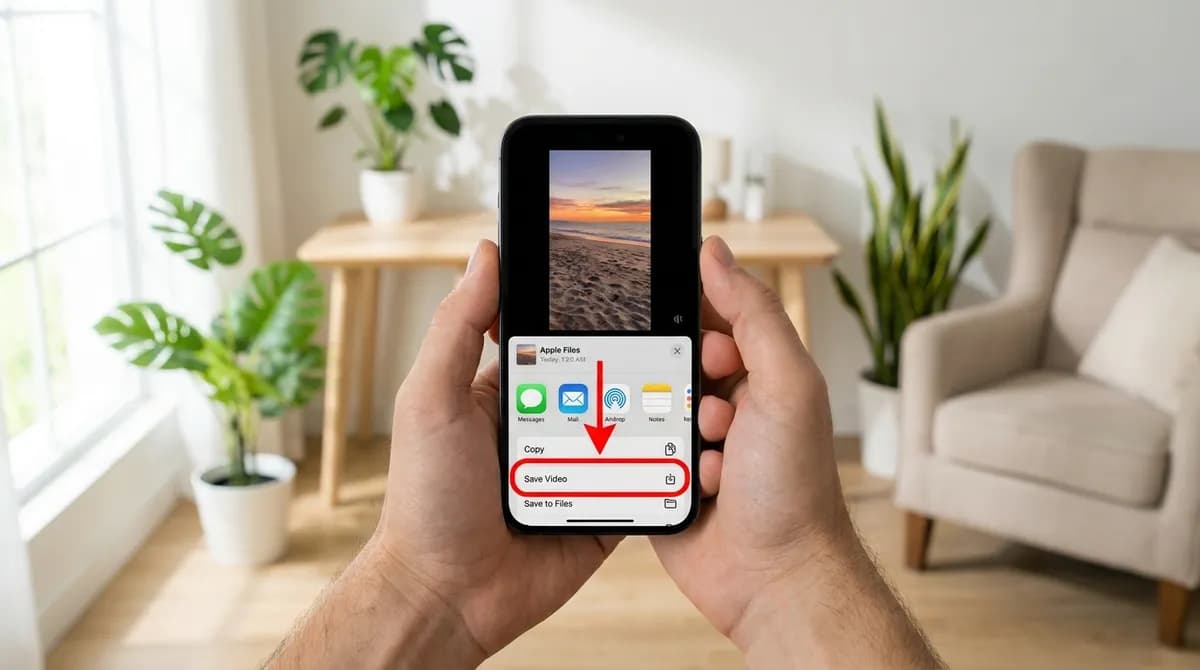
On a computer, the file goes to your Downloads folder, named after the story. On an iPhone, Safari puts it in the Files app, in Downloads; open it, tap Share and choose Save Video to move it into Photos. On Android, it lands in the Downloads folder and shows up in Google Photos under the device folders.
The 720p and 1080p files use the VP9 format, as Facebook stores them. Recent phones, browsers and VLC play them. On an older iPhone, if Save Video does not appear, use the 360p file, which is H.264 and imports everywhere.
Will the person know I saved their story?
Facebook shows a story's owner a list of who viewed it. Because the story is opened on our side, not from your account, your name is not added to that list when you save it here, and Facebook does not notify anyone of a download.
That is not a licence to keep anything you like. A story was shared for a day on purpose; saving it for yourself is one thing, passing it around or reposting it is another, and it is best to ask first. The copyright guide explains where personal use ends.
Saving several stories from the same person
When someone has posted a run of stories, each one has its own link: the first code in the address stays the same, and the second changes from story to story. Save them one at a time. Open the first story, copy the address, download it, then go back to Facebook, tap or click forward to the next story, pause it, and copy the new address.
Keep the SnapVidBox tab open while you do this. The result table for one story stays on screen until you paste the next link, so you can start a 1080p render, switch back to Facebook to copy the next story, and come back when the first file has arrived.
On Android, the steps are the same in Chrome. The finished files go to the Download folder, where the Files app and Google Photos both find them, so there is no extra step to get them into your gallery.
Which stories cannot be saved
- Stories older than 24 hours. Once Facebook removes them, there is no file left to fetch.
- Stories shared with Friends or a custom list. They are shown only to those people.
- Photo stories. They have no video; take a screenshot instead.
- Stories posted in private groups. They are shown to members only.
- Stories that only show text on a coloured background. These are drawn by the app and have no file.
Stories, Reels and ordinary videos
A Reel is not a story: it stays on the person's profile and has its own link, so it belongs in the Facebook video downloader. Videos posted to the feed go there too. If you are not sure which you are looking at, check the address: only stories have /stories/ in it.
Saving to a phone has a few extra steps of its own; the iPhone guide walks through them with pictures, and the PC guide covers computers and the 1080p format in more detail.
If the story does not download
- "This Facebook story could not be opened from its link": it has expired, or it is shared with friends only.
- "No video was found in that Facebook story": it is a photo or text story.
- You copied a profile or the stories row rather than a story. Open the story itself, pause it, and copy the address again.
- The download of a 1080p file waits: our server makes one or two at a time. Wait a minute or pick 720p.
The files a Story comes with
What each row in the result table is, and where it plays:
| Row | Format | How it downloads | Plays on |
|---|---|---|---|
| 360p (Download now) | MP4, H.264 | At once | Everything, including older iPhones |
| 540p, 720p, 1080p (Render & download) | MP4, VP9 | Joined on our server in a few seconds | Recent phones, browsers and VLC |
| M4A | Audio, as Facebook stores it | At once | Any music player |
| MP3 | Audio, converted | Converted on our server in a few seconds | Any player or phone |
In short
Open the story, copy the facebook.com/stories/ address while it is playing, paste it into the Facebook Story downloader and pick 720p or 1080p. Do it before the 24 hours are up, and keep the copy for yourself.
Frequently asked questions
Can I download a Facebook Story without logging in?
Yes. You only paste the story's link. There is nothing to sign in to on SnapVidBox, and we never ask for your Facebook account.
Does the owner see that I downloaded their story?
No. The story is opened on our side, so your name is not added to its viewer list when you save it here, and Facebook sends no notification of a download.
Can I save a story after 24 hours?
No. When a story expires Facebook removes it, so there is no file left. Only the owner can still see it, in their story archive.
What quality do Facebook Stories download in?
Up to 1080p when the story was uploaded that sharp. The standard 360p file downloads at once; 540p, 720p and 1080p are made on our server in a few seconds.
Can I download a story that only friends can see?
No. Stories shared with Friends or a custom list are shown only to those people, so they cannot be opened from a link. Ask the person to send you the video.
How do I get a story's link in the Facebook app?
Tap the three dots at the top right of the story and choose Copy link when it is offered. If it is not, open facebook.com in your phone's browser, tap the story and copy the address bar.
Related guides
How to convert a Facebook video to MP3 and keep just the audio
Save the sound of a Facebook video or Reel as an MP3 or the original M4A, on a phone or a computer, with no app. Which bitrate to pick and which posts work.
8 min read
How to download a private Facebook video: what can and cannot be saved
Save a Facebook video that asks you to log in, from a public group or behind the login wall, with just its link. What works, what never can, and why.
8 min read
How to save a Facebook video or Reel to your iPhone camera roll
Facebook has no download button for most videos, and Safari saves files to Files, not Photos. Five steps from a Facebook link to your iPhone camera roll.
8 min read
How to download a Facebook video on PC or Mac in HD and 1080p
Save a Facebook video or Reel on Windows or macOS from your browser, with no software: HD at once, 1080p made on our server, or just the sound as MP3.
9 min read
Sources
Ready to try it?
Paste any supported link and the platform is detected automatically.
Open the downloader